


Fogo allows practitioners and front desk staff to easily schedule recurring sessions for clients requiring ongoing treatments. This feature helps streamline long-term care planning, saves time on manual rebooking, and ensures consistent scheduling across your calendar.
Step 1: Go to the Appointments tab on the left menu.
Step 2: Click the clients’ existing appointment (or create a new client if it’s their first booking) .
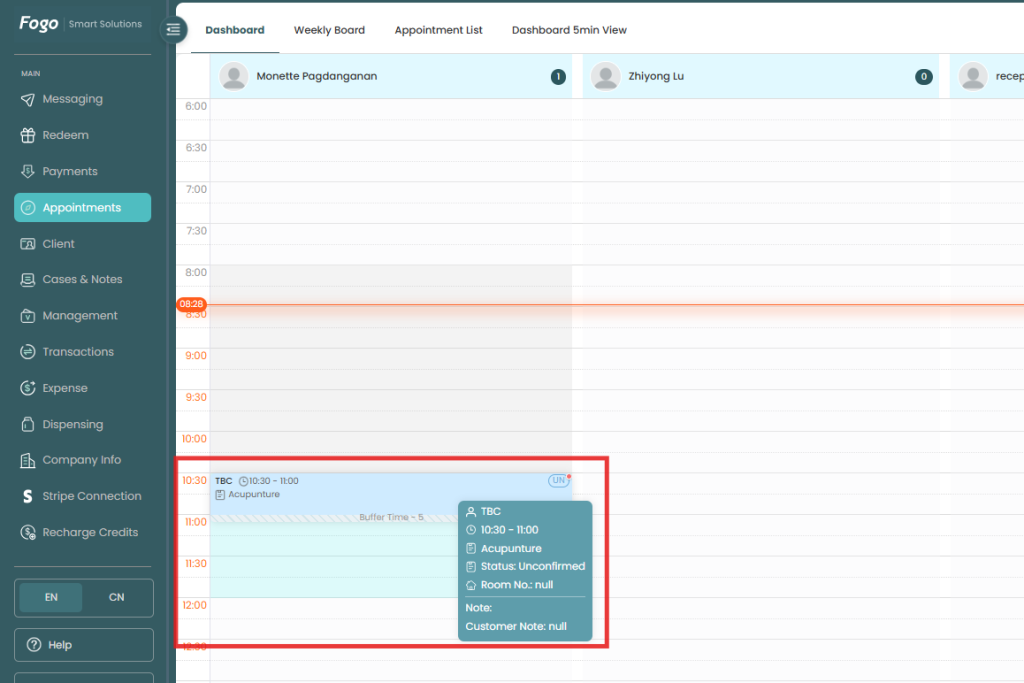
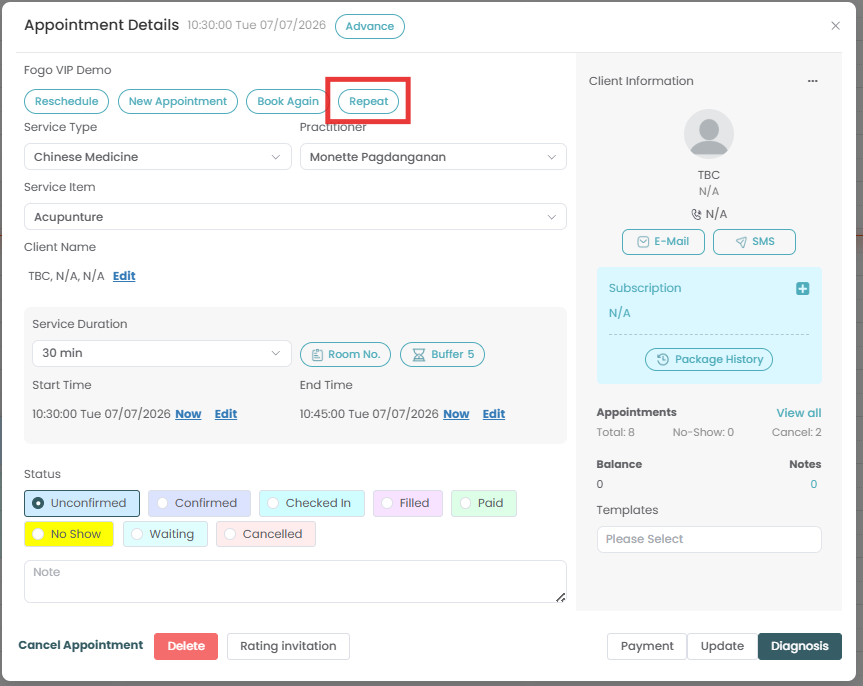
Step 3: Under the Appointment Details section, click the “Repeat” button to open the recurrence settings.
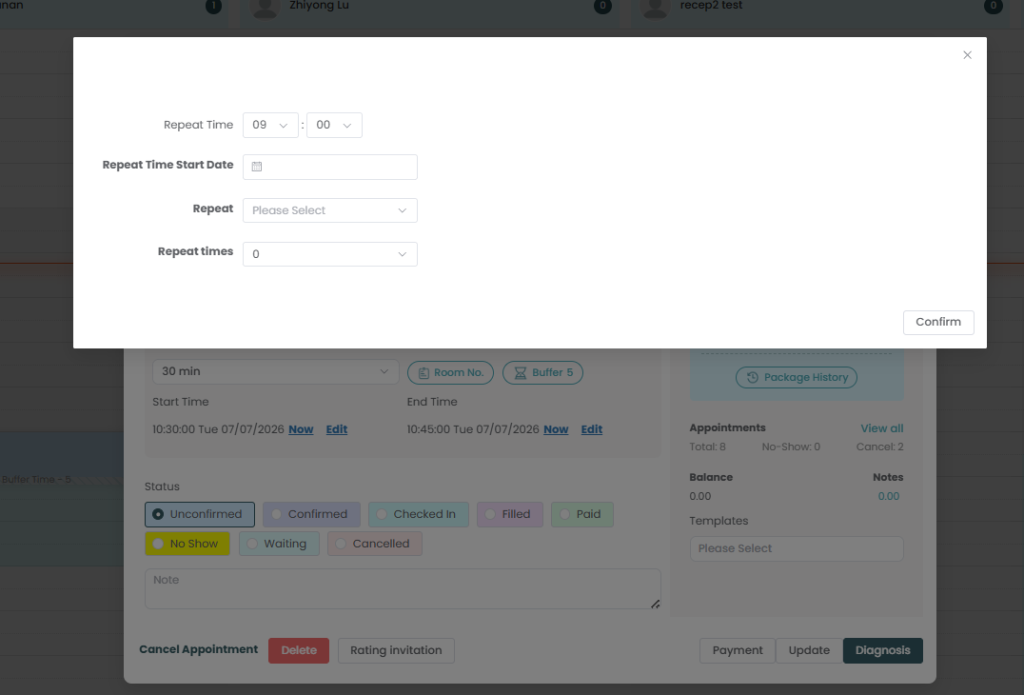
Step 4: Define your preferred schedule from the pop up window (e.g., daily, weekly, or specific intervals), set the end criteria/repeat times, and click Confirm to lock in the recurring series.
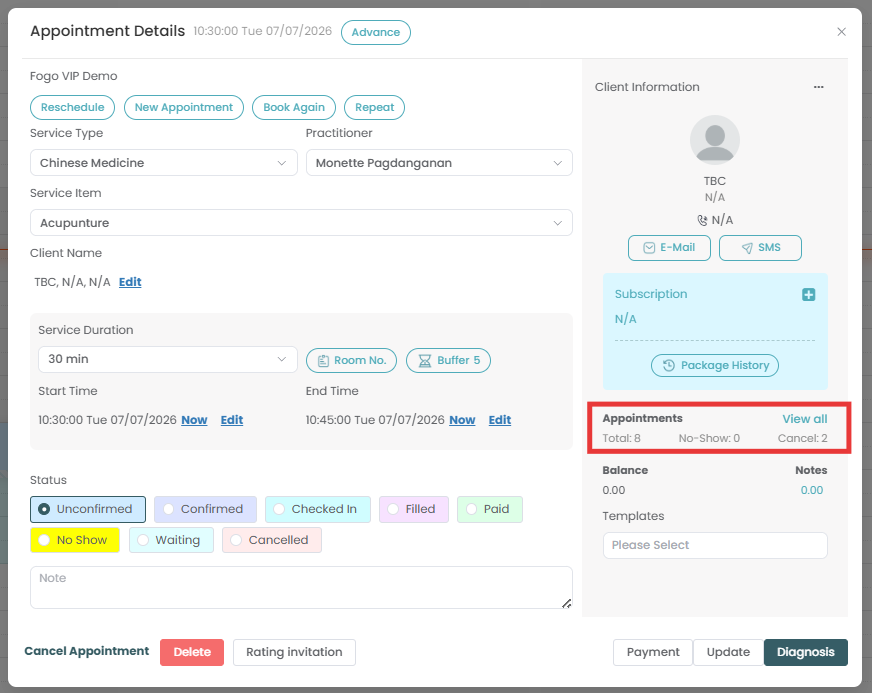
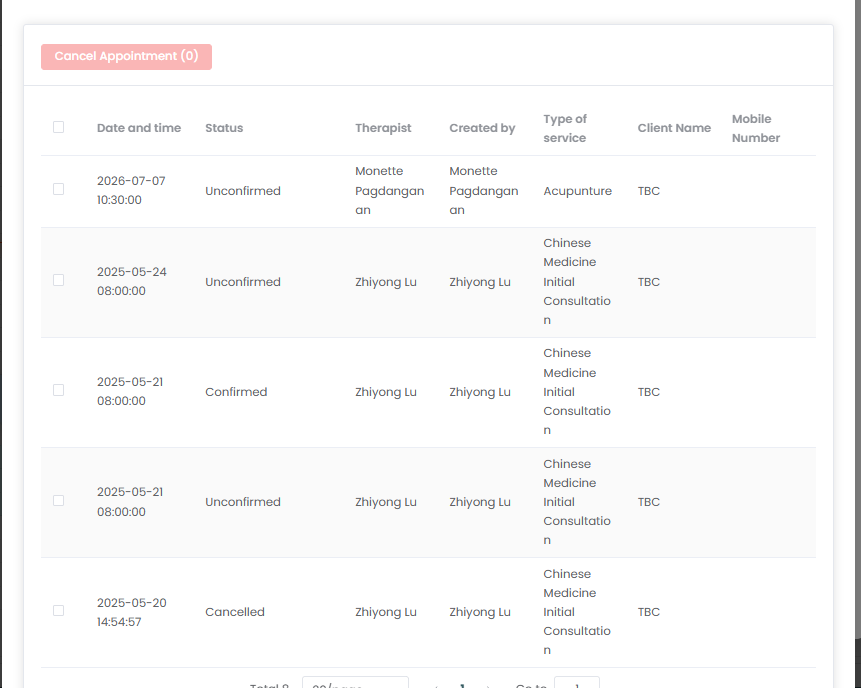
Step 5: To view the recurring series set, locate the Appointments summary section on the right-hand panel of the booking card. Click “View all” next to the appointment statistics (which tracks your Total, No-Show, and Cancelled counts) to review or manage the full list of scheduled sessions.
Need a demo or want to learn more? Email us at contact@fogo365.com.