


Fogo gives practitioners and staff the flexibility to manage recurring appointment cancellations directly within the system. This ensures that schedules stay updated, clients are properly notified, and future time slots in the series can be reassigned efficiently.
Step 1: Go to the Appointments tab from the left menu, then click Dashboard.
Step 2: Choose the appointment date to view upcoming bookings. Locate the specific recurring appointment you want to cancel using the search bar or calendar view.
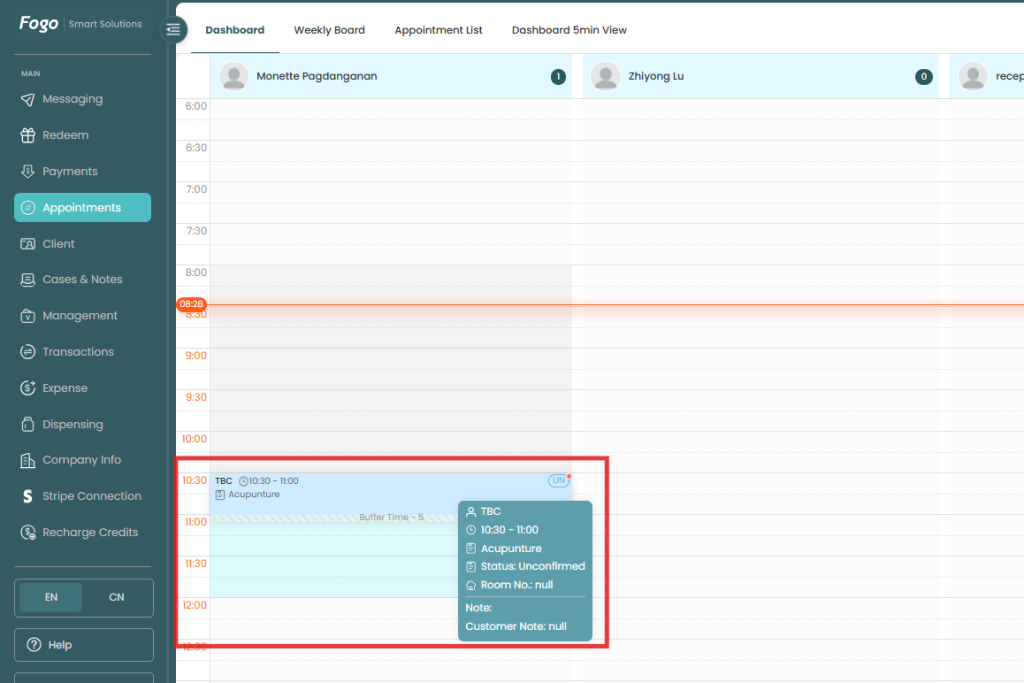
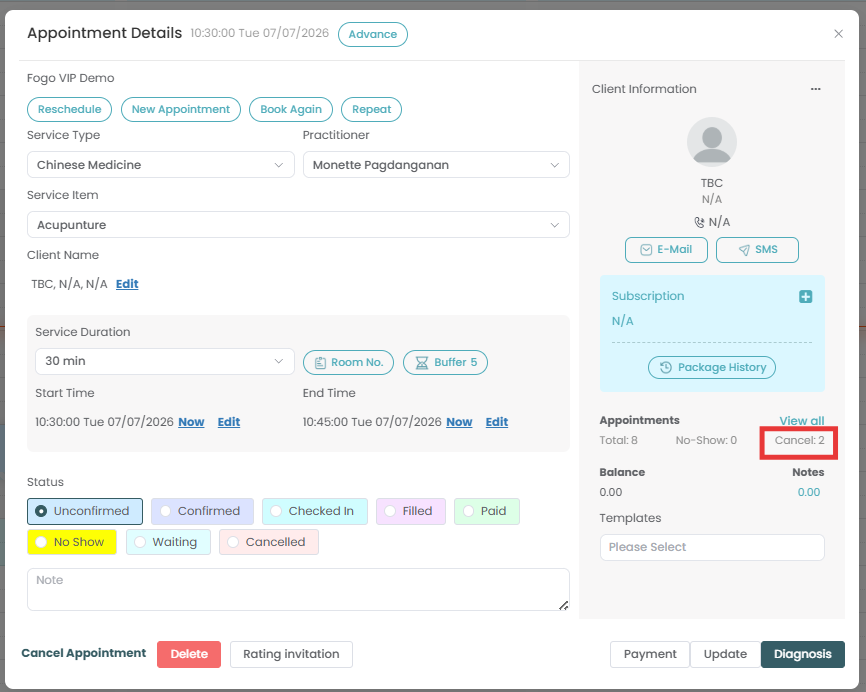
Step 3: Double click on the specific appointment to open its details panel.
Step 4: On the right-hand panel under the Appointments section, click “View all” to open the list of all scheduled sessions in the recurring series.
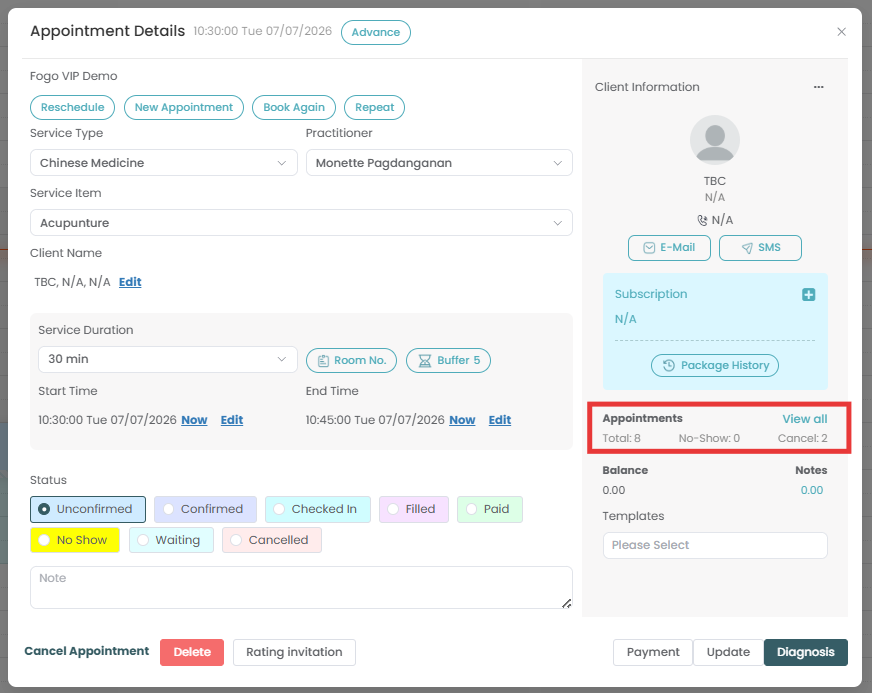
Step 5: Locate the specific session date you wish to remove from the series and select “Cancel Appointment”. (Alternatively, if you need to remove the entire remaining series, click the “Date and time”button then hit “Cancel Appointment”).
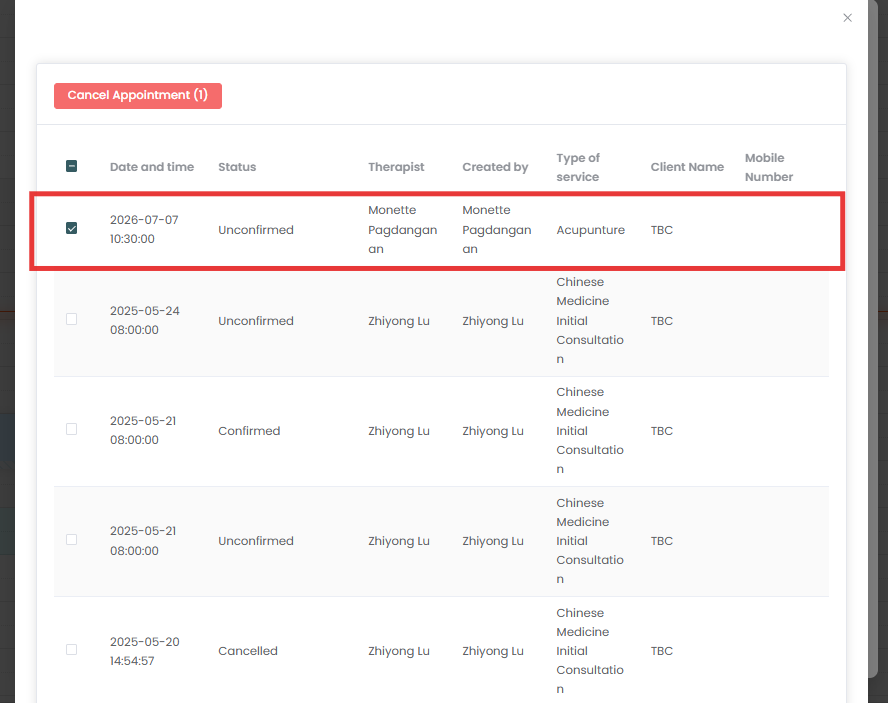
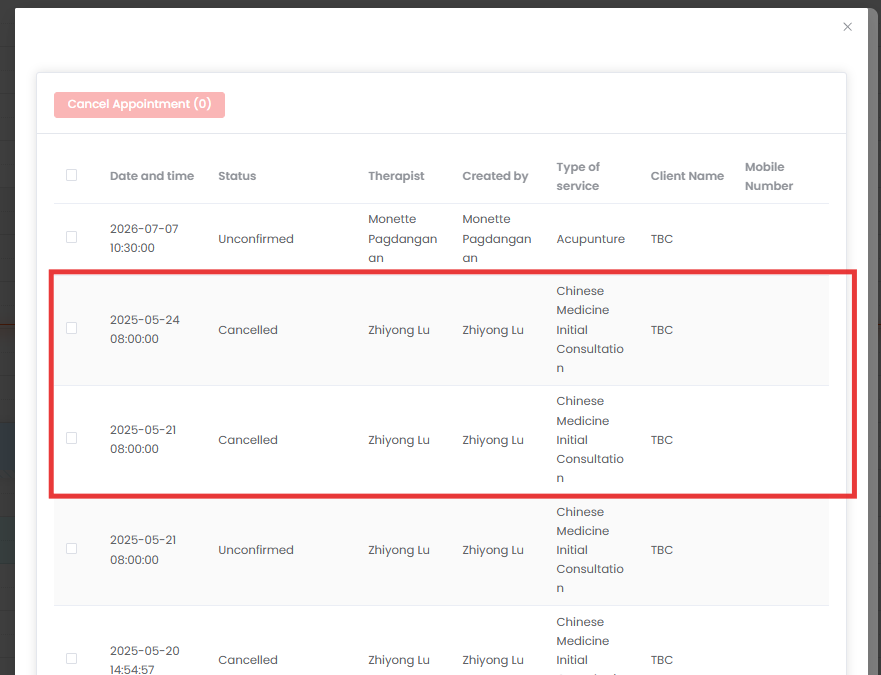
Step 6: The system will automatically update the appointment status, adjust your total counts, and free up the time slot for rebooking.
Need a demo or want to learn more? Email us at contact@fogo365.com.