


Fogo allows practice administrators to set up staff bonuses based on sales performance, service targets, or other defined criteria. This feature helps motivate team members, track incentives accurately, and simplify end-of-period payout calculations.
Step 1: Go to the Management> Staff Management > Staff Bonus.
Step 2: Select the staff member or role you wish to assign a bonus structure to. Then click “Staff Bonus”.
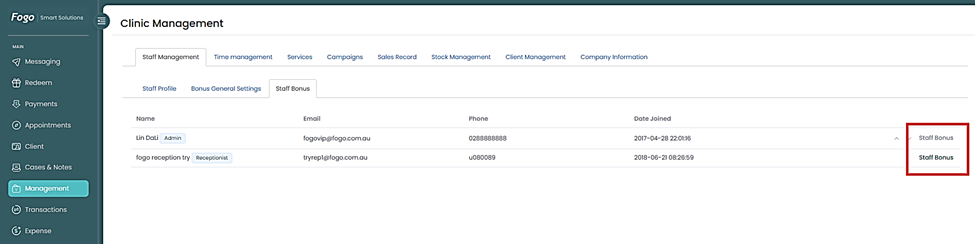
Step 3: In Employee Settings, set up Staff information such as pay Schedule, Base rate, etc.
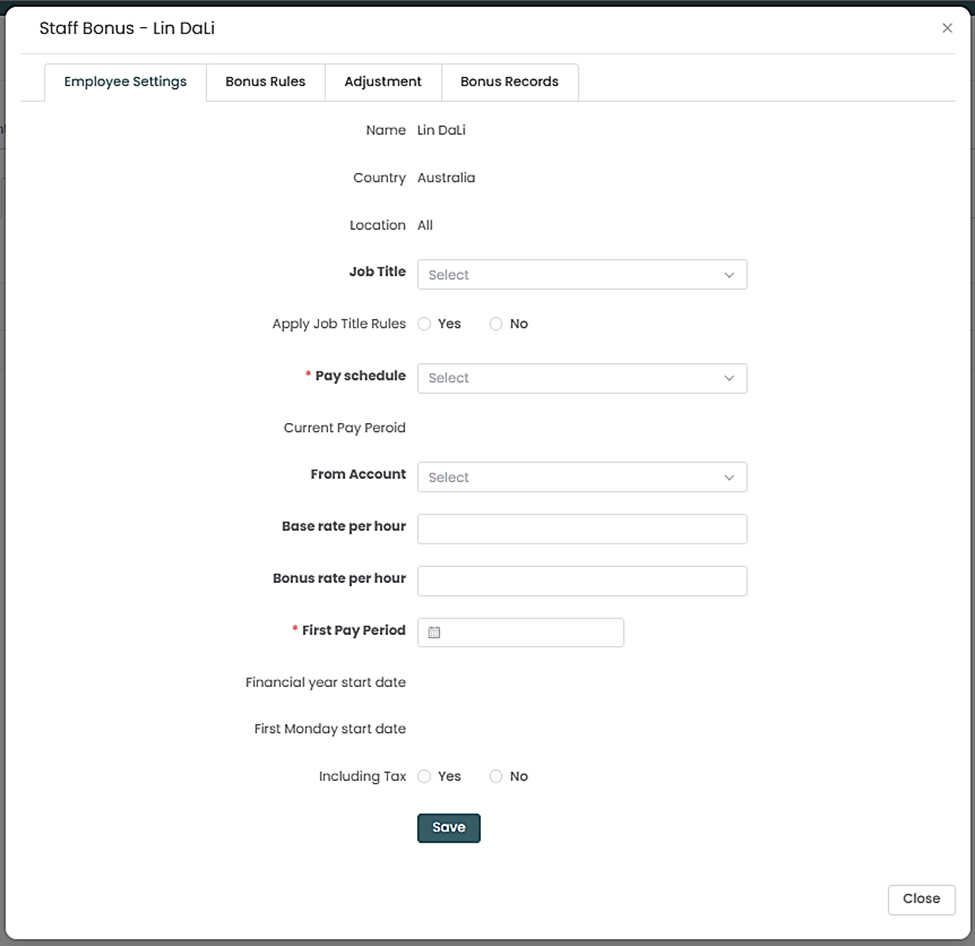
Step 4: Create the rule such as percentage-based or amount (e.g., 5% of base rate) or fixed amount (e.g., ₱500 per hour). Specify the conditions or metrics that trigger the bonus (e.g., total hours rendered, or monthly performance goals).
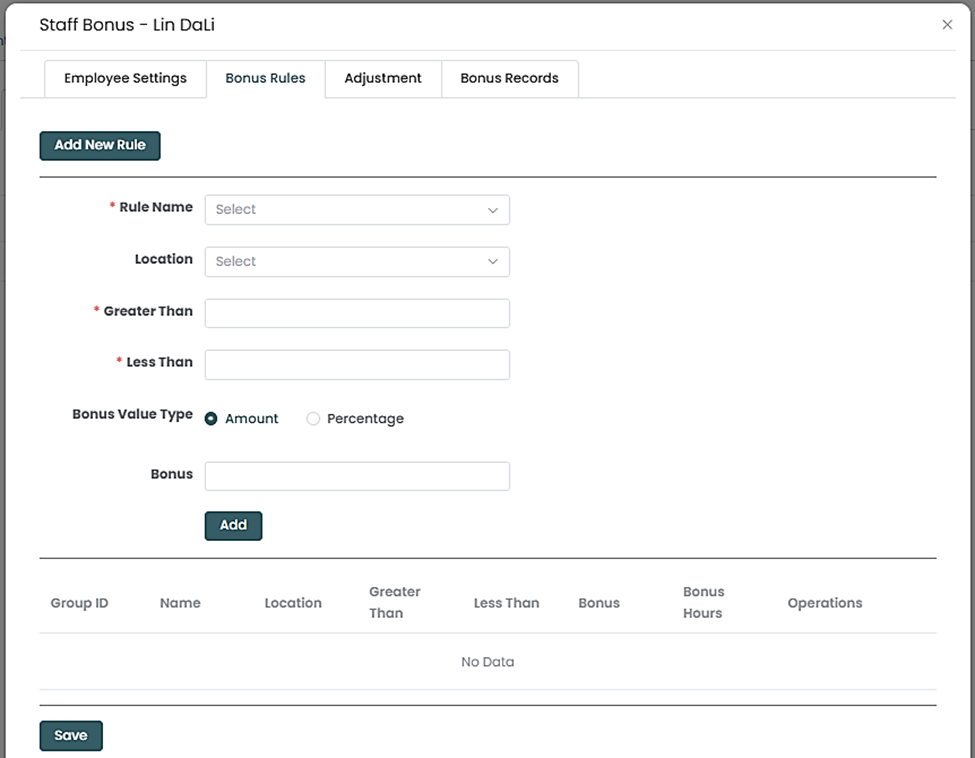
Step 5: Specify the conditions or metrics that trigger the bonus (e.g., total services rendered, product sales, or monthly performance goals).
Step 6: Set the bonus period (e.g., weekly, monthly, or quarterly).
Step 7: Review the configuration and click Save to finalize.
Need a demo or want to learn more? Email us at contact@fogo365.com.