


Fogo Subscriptions allow you to offer recurring services or packages that automatically renew on a set schedule. This helps improve client retention and provides stable recurring revenue for your clinic or business.
Step 1. From the left pane, go to Management > Marketing > Fogo Subscription.
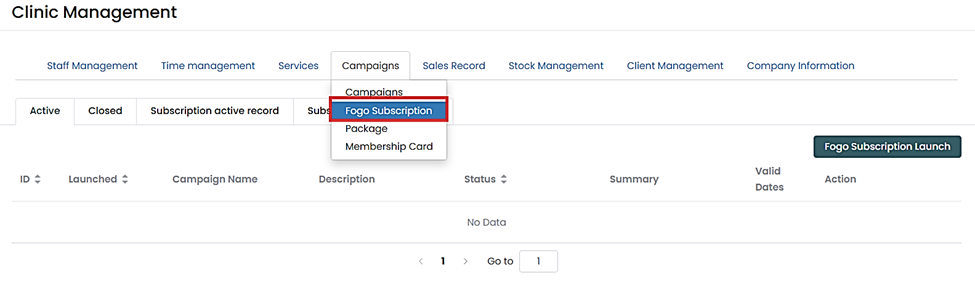
Step 2. Click “Fogo Subscription Launch”.
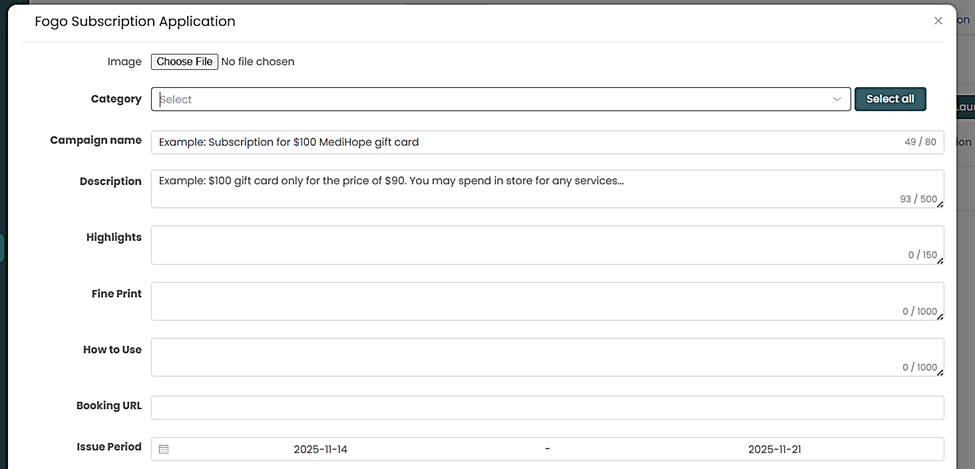
Step 3. Set up your subscription details, then click “Submit”
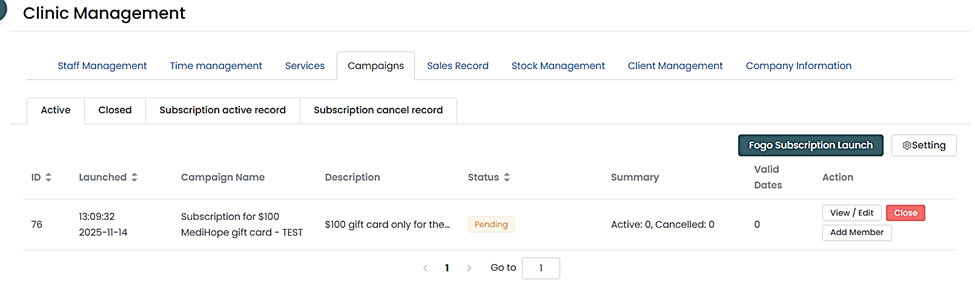
Step 4. Once launched, the subscription will appear under your active Subscription List, where you can:
- View active subscribers
- Add member
- Track payments
- Manage cancellations or upgrades
Promote your subscription through campaigns or announcements to encourage more clients to sign up and maximize recurring revenue.
You can also watch the demo here Demo on How to launch Fogo Subscriptions
NOTE: You need to connect with your Stripe Account first to set up your gift card.
Need a demo or want to learn more? Email us at contact@fogo365.com.