


FOGO keeps a complete record of all SMS notifications sent from your account. You can easily review, monitor, and manage historical SMS logs for auditing, tracking client communication, or troubleshooting delivery issues.
Step 1. Go to Appointments > then open the client’s appointment/booking schedule.
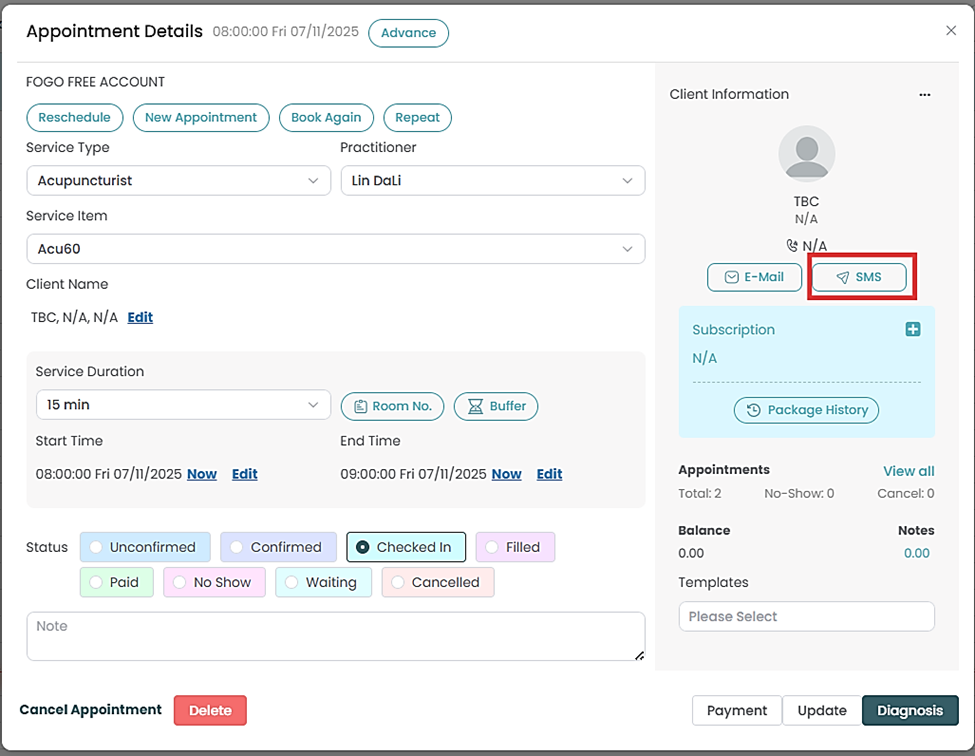
Step 2. On the client’s Information part, click “SMS”.
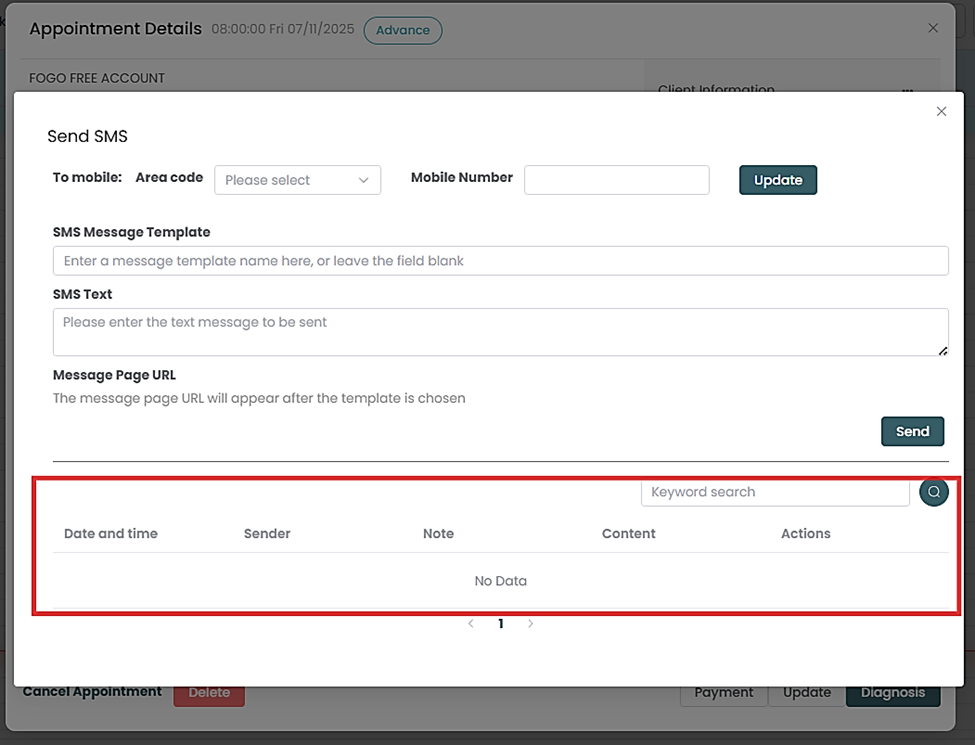
Step 3. SMS history will show at the bottom part of the pop up page.
- Date and time
- Sender
- Note
- Content
- Actions
Need a demo or want to learn more? Email us at contact@fogo365.com.