


The Fogo Smart Cloud Staff Bonus System requires you to first establish key regional and financial parameters. By accurately configuring Country & Rate (Tax Rate, Financial Year Start) and Country & Location, you ensure that Fogo correctly handles regional sales tax, currency, and other geographic considerations when calculating staff bonuses and managing financial records. This foundation is essential for accurate, compliant compensation.
Step 1: Go to the Management> Staff Management > Bonus General Settings.
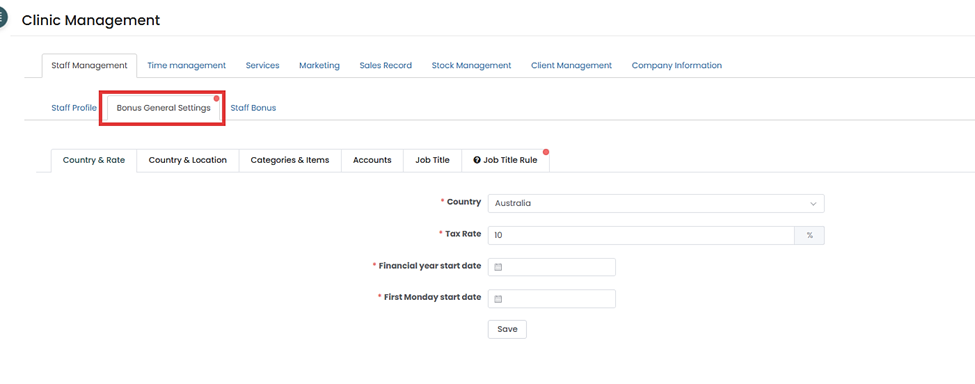
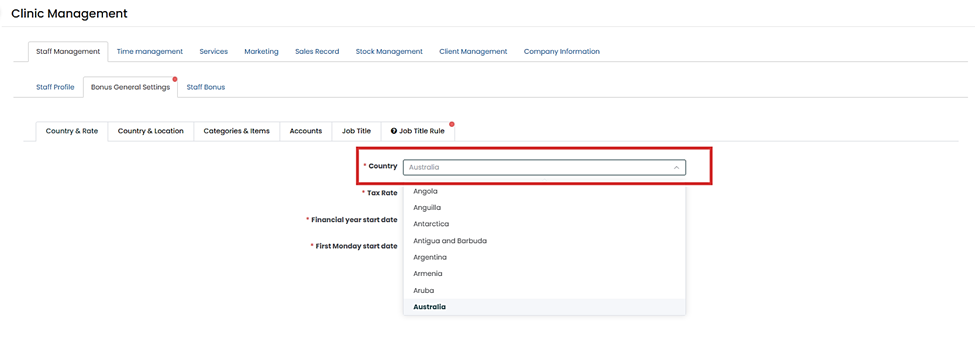
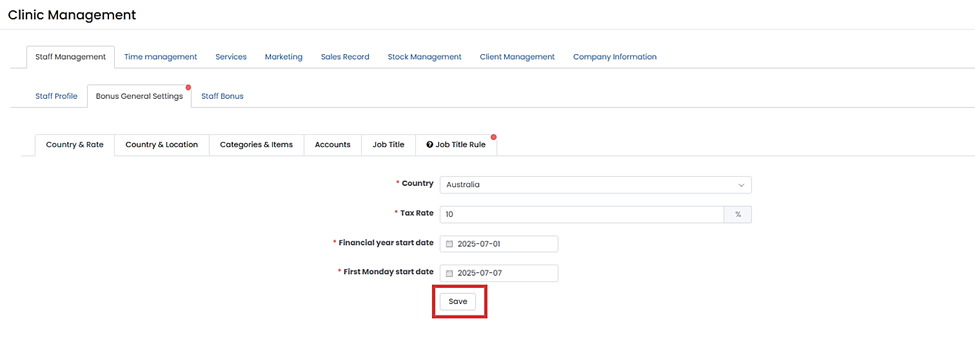
Step 2: Go to the Country & Rate tab. Select the country on the dropdown menu.
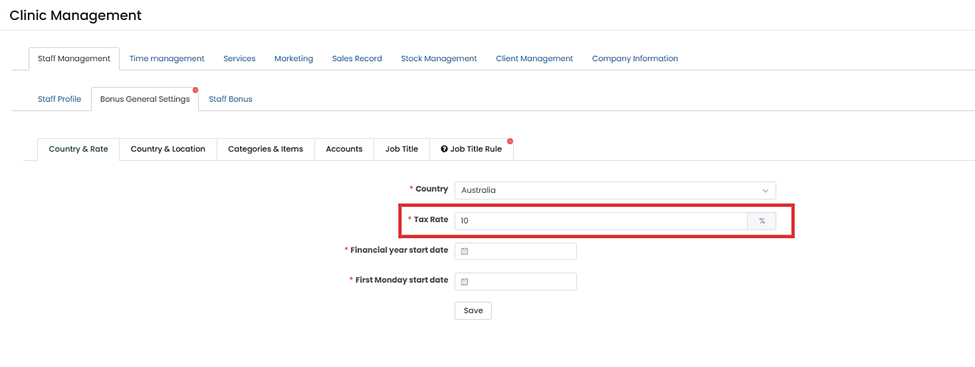
Step 3: Then input the tax rate.
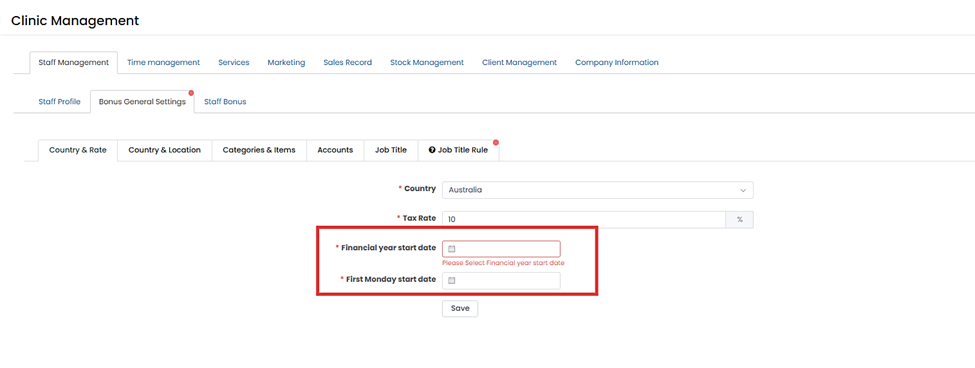
Step 4: Input the Financial year start date and First Monday start date.
Step 5: Then click ”Save”.
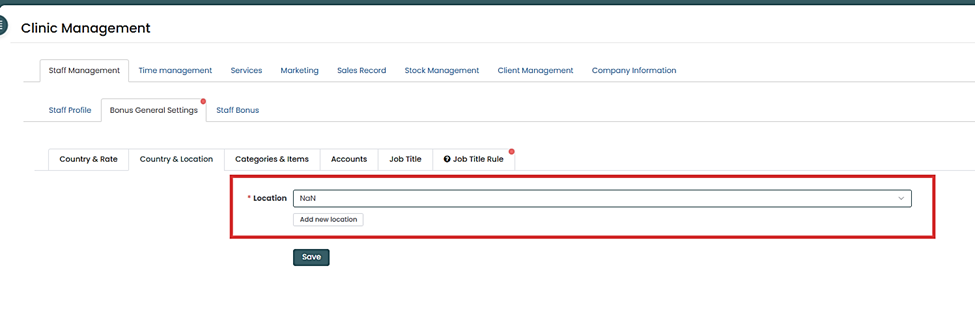
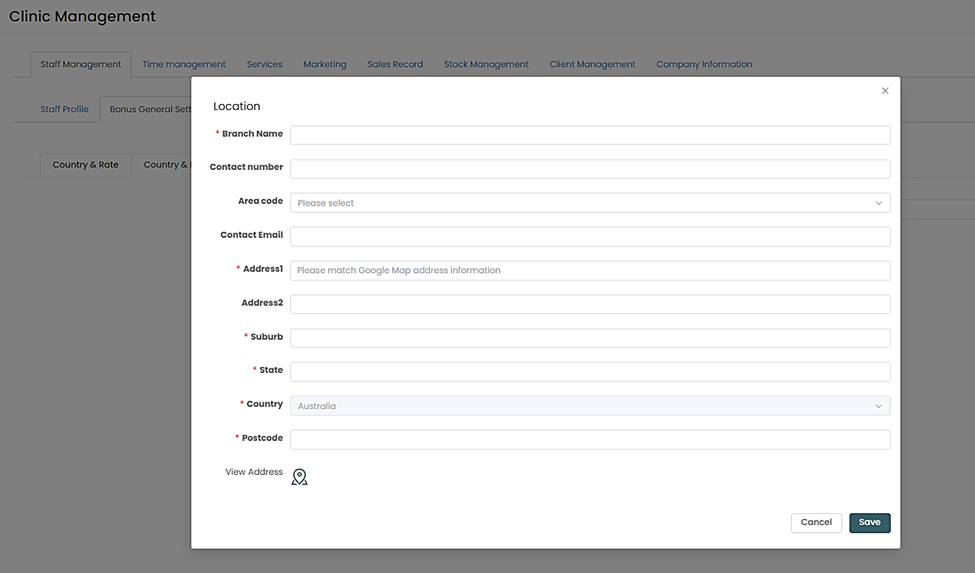
Step 6: Then go to the Country & Location tab. Then select location/branch from the dropdown or Add a new location.
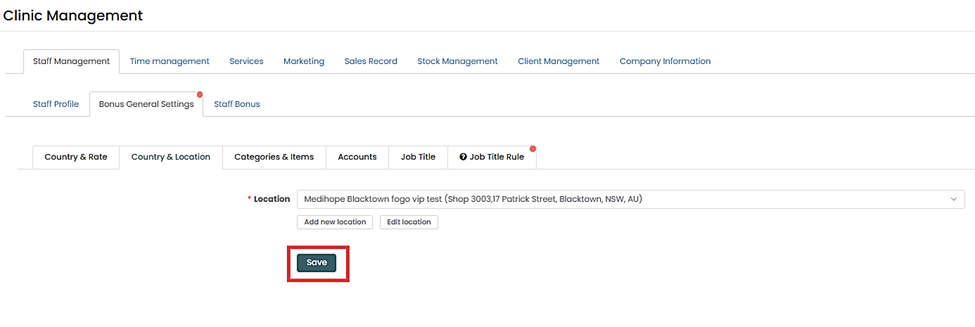
Step 7: Then click “Save”.
Once the foundational Country, Rate, and Location settings are saved, the next step is defining your core services and products. Please refer to the FAQ section: “How to configure Fogo’s Staff Bonus System: Setting up Job Titles” to ensure all your services, treatments, and retail products are correctly entered and categorized before proceeding with staff bonus rules.
You can also watch the demo here Demo on How to set up Staff Bonus in the Fogo System (Part 1)
Need a demo or want to learn more? Email us at contact@fogo365.com.