


A bonus rule isn’t applied to an individual; it’s applied to the role. By creating a clean, comprehensive list of job titles, you create the necessary categories that will later link staff members directly to the correct bonus percentage or calculation formula. This ensures every employee—from your Senior Physiotherapist to your new Receptionist—is paid accurately and consistently based on their role.
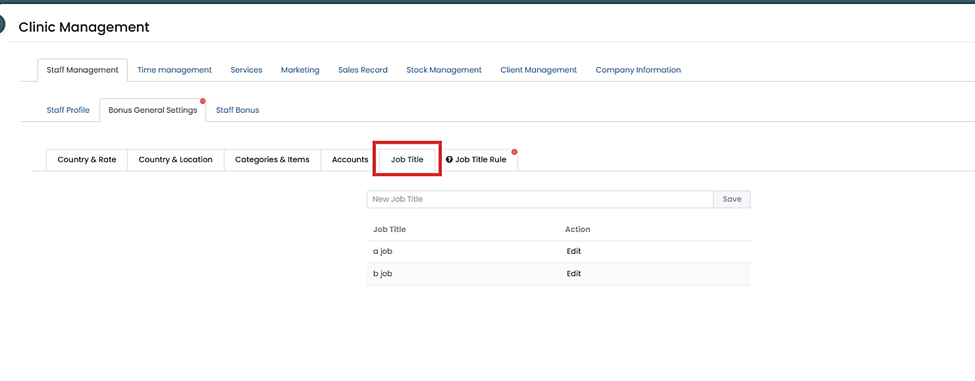
Step 1: Go to the Management> Staff Management > Bonus General Settings.
Step 2: Navigate to the Job Title tab.
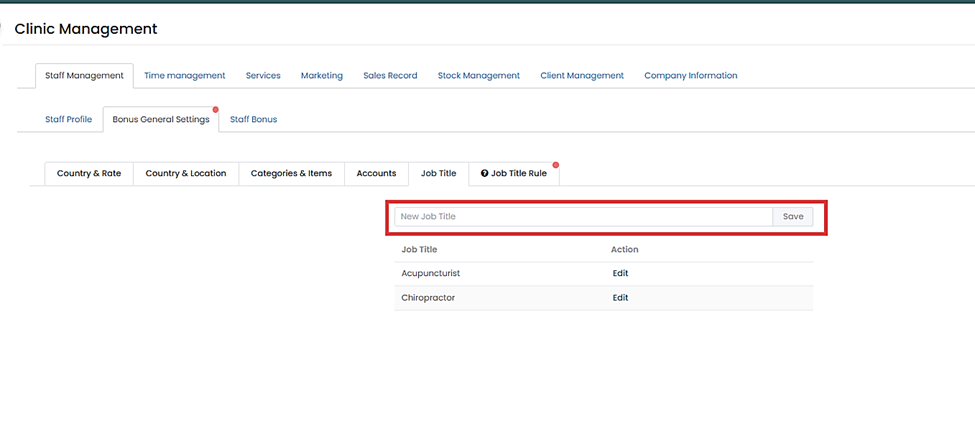
Step 3: Enter all relevant staff Job Titles to ensure every position can be linked to a bonus rule.
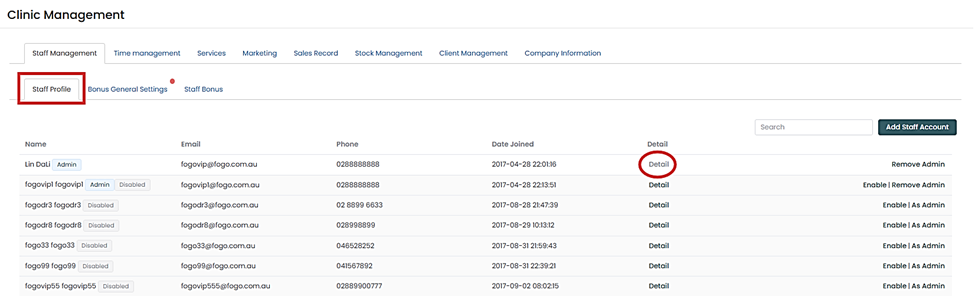
Step 4: Go to the Staff Profile section to apply the correct Job Title tags that will link them to the bonus rules.
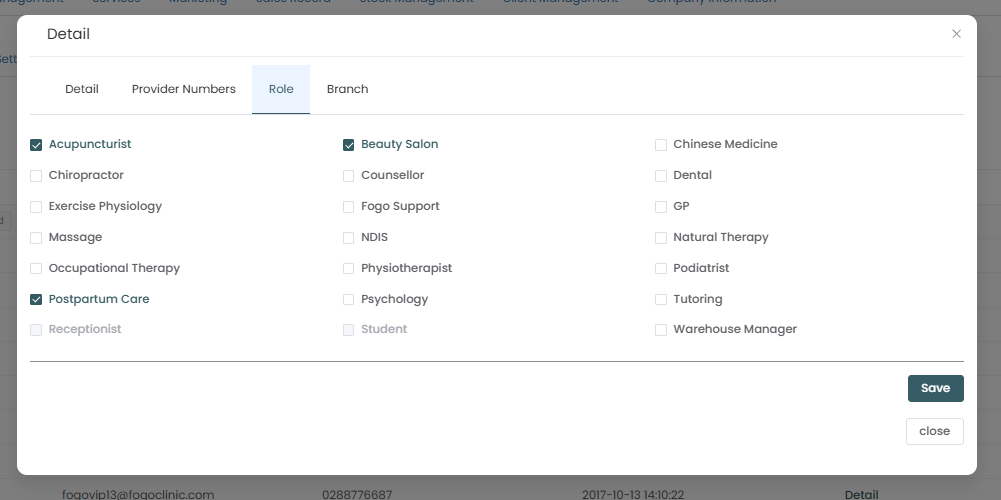
Step 5: Repeat this process until ALL applicable job titles for your current and future staff have been entered into the system.
The next and most critical step is to assign the rules to these roles. Please proceed to the next FAQ/demo focusing on ‘How to configure Fogo’s Staff Bonus System: Setting up Job Title Rules – Service Performance Reward Rules‘ where we will define the bonus formula for each of these positions.
You can also watch the demo here Demo on How to set up Staff Bonus in the Fogo System (Part 1)
Need a demo or want to learn more? Email us at contact@fogo365.com.