


The true value of Fogo’s Staff Bonus System lies right here in the Job Title Rules. By setting up these rules, you completely automate your bonus calculations, eliminating manual spreadsheets and human error. This system allows you to define complex, fair, and transparent payment structures—whether it’s a fixed percentage of sales, a tiered commission based on service type, or a mix of both. This level of customization ensures your compensation plan directly incentivizes productivity and aligns perfectly with your business goals
Step 1: Go to the Management> Staff Management > Bonus General Settings > Job Title Rule.
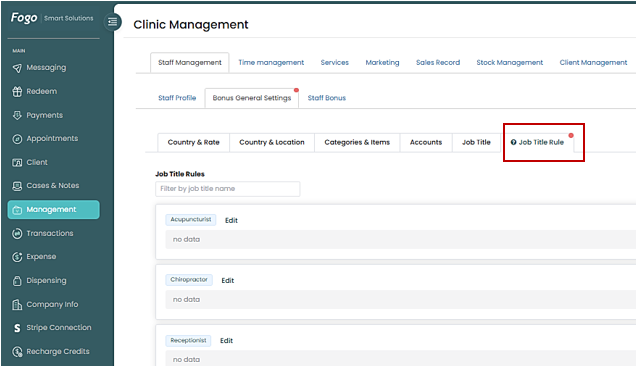
Step 2. Select Job Title: Review the list of defined Job Titles (e.g., Acupuncturist, Chiropractor). Click the “Add” button or the Job Title name for which you want to create a rule. This will open the “Job Title Rules” pop-up modal.
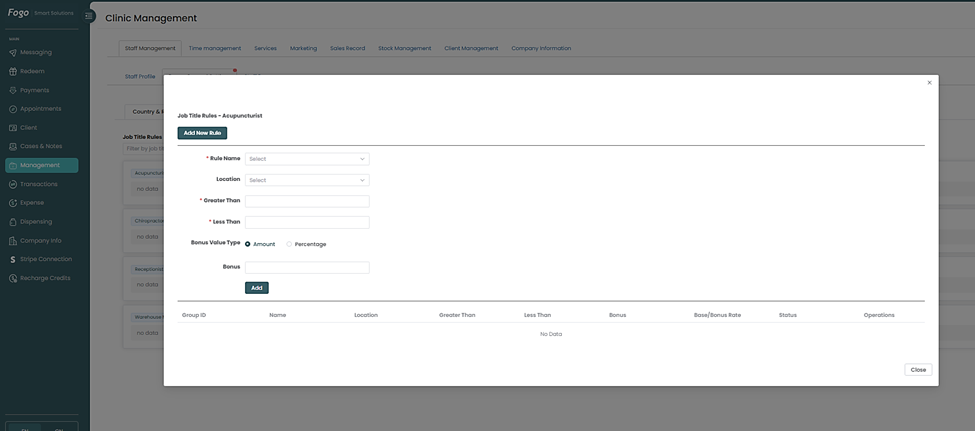
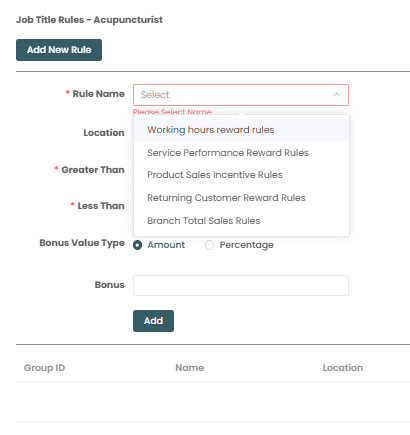
Step 3. Click “Edit” then a pop up window will show the parameters that need to be set for the rule. Select Rule Name.
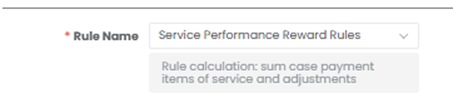
Once selected, Rule Name will provide rule calculation details.
Step 4. Then select the Category from the dropdown.
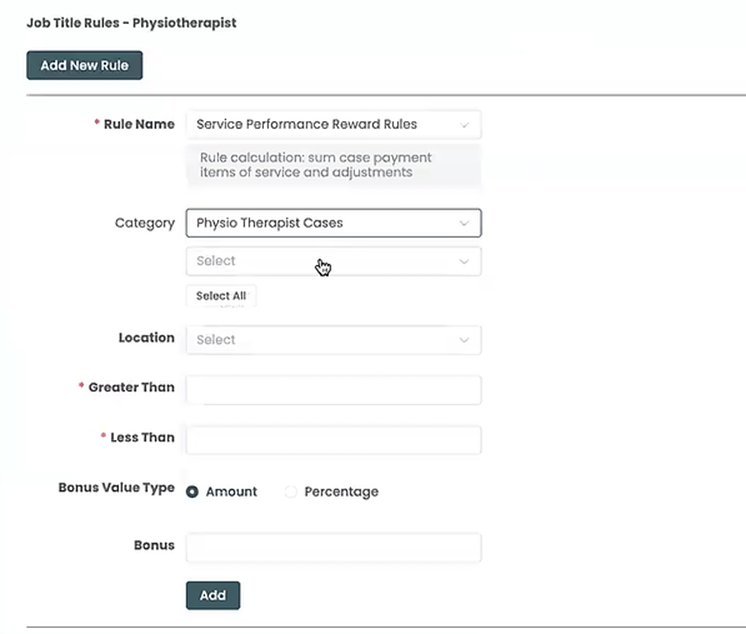
Step 5. Since we have selected Service Performance Reward Rules as the basis of the bonus, the system will show you the list of services to be rendered by the staff.
Choose all the services that apply to this rule or setting.
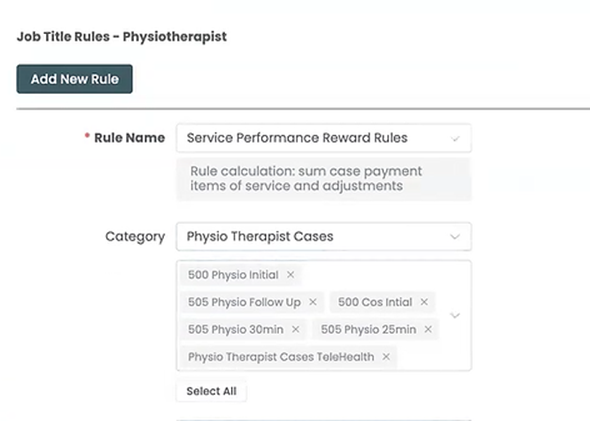
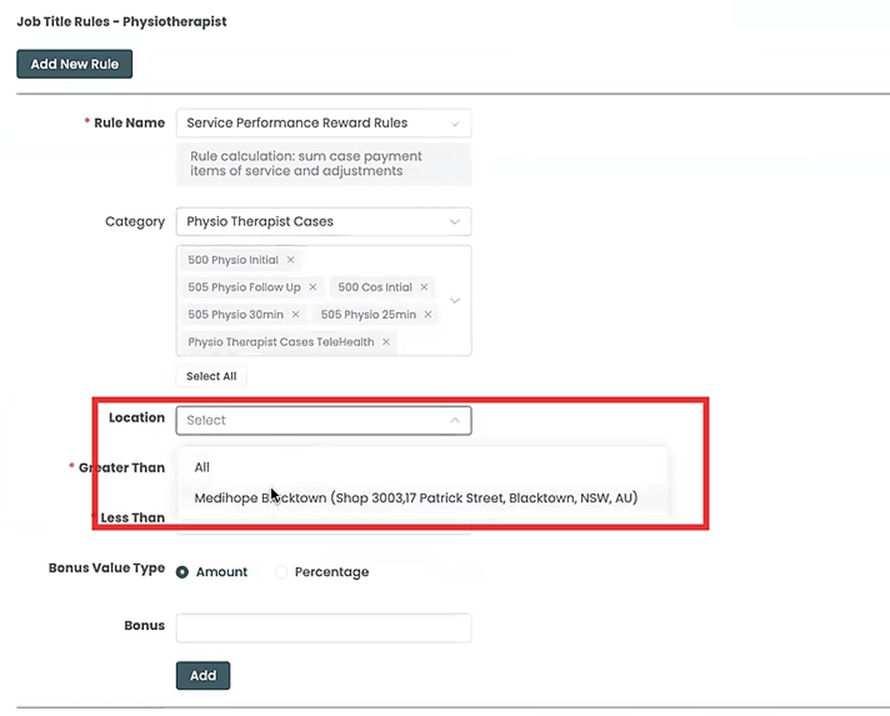
Step 6. Choose the location from the dropdown menu.
Step 7. The Greater Than and Less Than fields are what enable Fogo’s system to create tiered and conditional bonus structures.
Greater Than field: The bonus rule starts applying after the staff member’s accrued revenue exceeds the amount entered in this field. If you enter $0, the staff member receives the defined bonus percentage only on sales above $0.
Less Than field: The bonus rule stops applying before the staff member’s accrued revenue reaches the amount entered in this field. If you enter $100,000, the staff member receives the bonus percentage only on sales up to $100,000.
Bonus Value Type: The Bonus Value Type determines the structure of the payment the staff member receives when the conditions of the rule are met
1. The “Percentage” Value Type: This is used when the staff member receives a calculated share of the revenue.
2. The “Amount” Value Type: This is used when the staff member receives a fixed dollar amount, regardless of the service price.
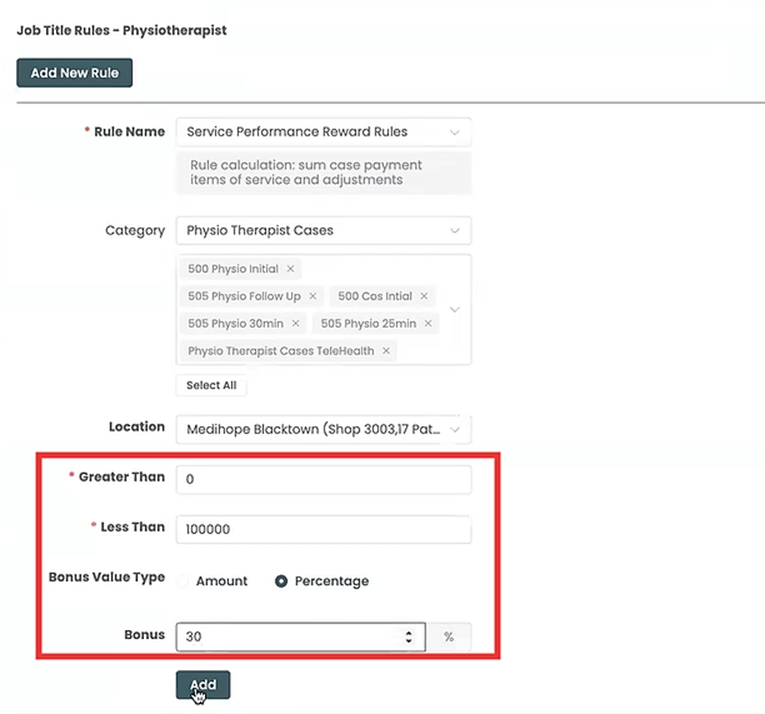
Step 8. Click “Add” to save the rule.
Note: Any modification to a staff bonus rule will trigger a Warning pop-up. To maintain compliance and accurate payroll, you must follow the prompt to unlock and recalculate the relevant prior pay periods in the Staff Bonus Records section.
Step 9. Rules created for the specific Job Title will appear once saved.
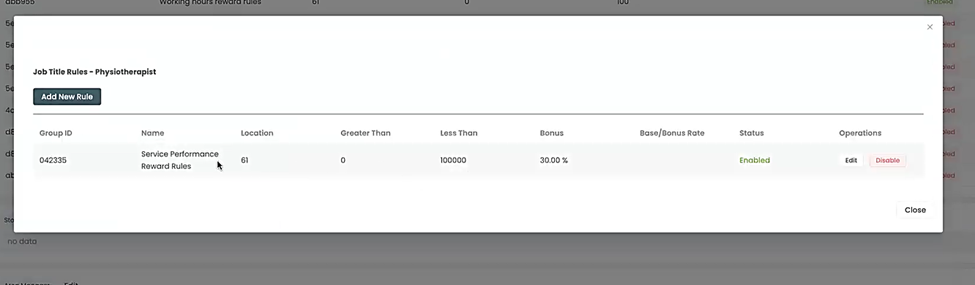
To guarantee fair and consistent compensation, define a unique bonus rule for every Job Title you created.
Please proceed to the next FAQ/demo focusing on ‘How to configure Fogo’s Staff Bonus System: Setting up Job Title Rules – Working hours reward rules‘ where we will define the bonus formula based on hours rendered.
You can also watch the demo here Demo on How to configure Fogo’s Staff Bonus System: Setting up Job Title Rules – Service Performance Reward Rules (Part 2)
Need a demo or want to learn more? Email us at contact@fogo365.com.