


A case template can be extremely useful in your daily practice, particularly for patients with similar conditions. Its purpose is to save time and enhance treatment outcomes. There are different methods for creating a new case template.
Step 1. Navigate to the case template menu by going to Management > Services > Case Template.
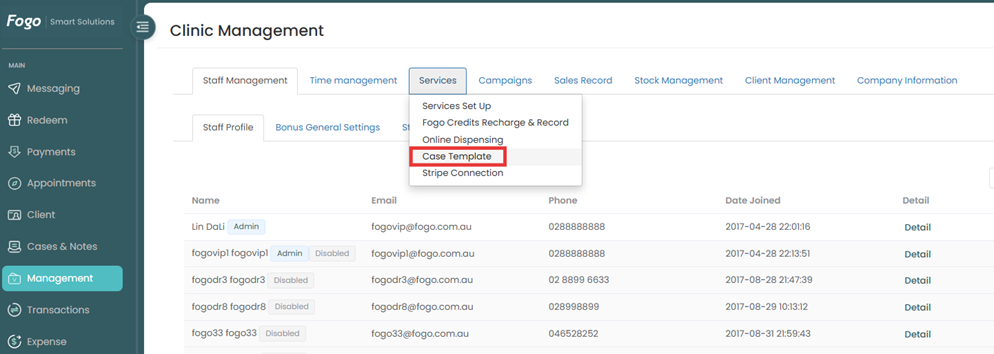
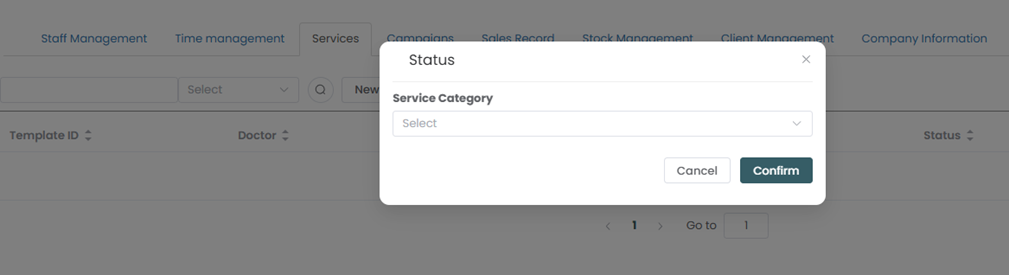
Step 2. Click on ‘New’ and create a new case template, then Save.
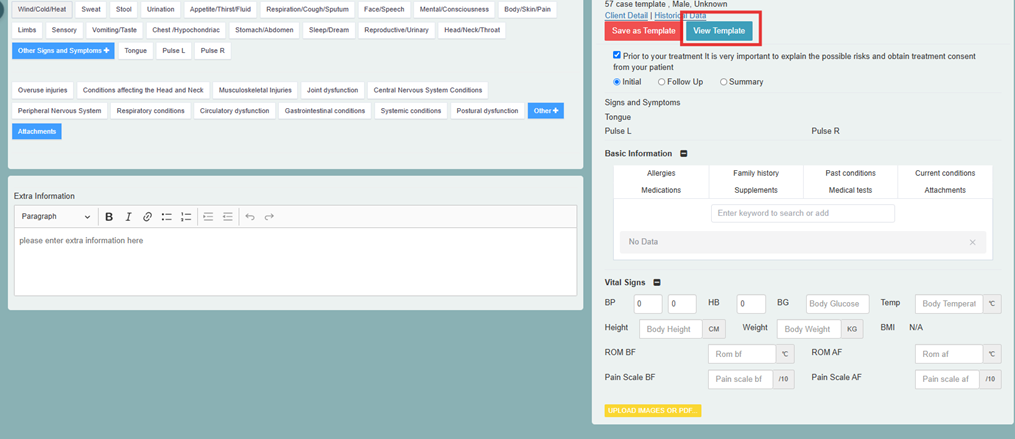
Step 3. You can view your available templates here.
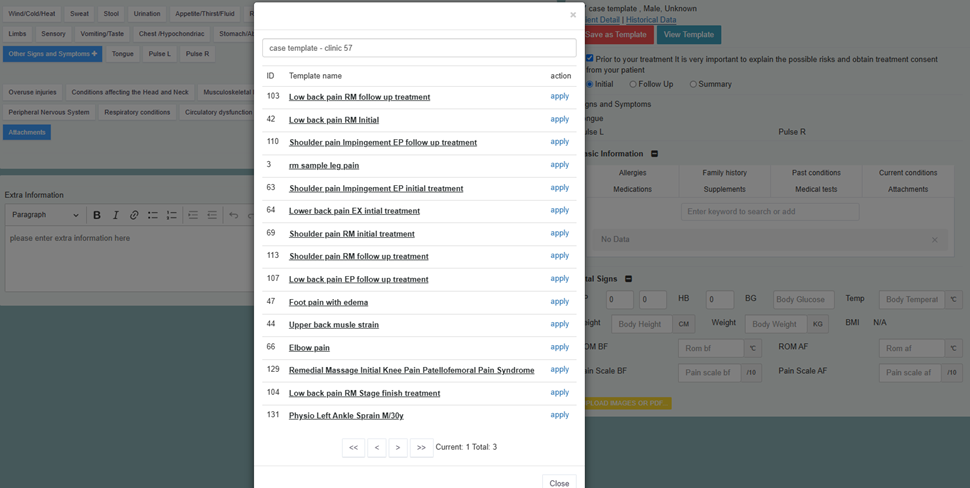
Step 4. A pop up window will show your templates. Select then click “apply”.
Need a demo or want to learn more? Email us at contact@fogo365.com.