


Simplify your clinic operations with Fogo’s online herb purchasing feature. You can explore products, place orders, and keep track of your herbal supplies seamlessly through the system.
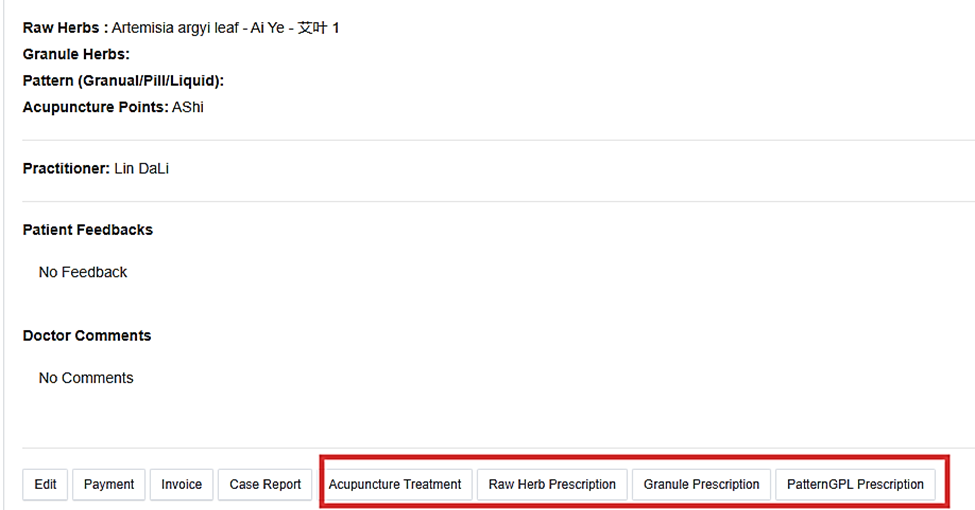
Step 1. Login your Fogo practitioner account and prescribe herbs via case reports. After you save the case, the page will redirect to the client’s case summary. At the bottom part of the page, select the applicable tab based on your prescription.
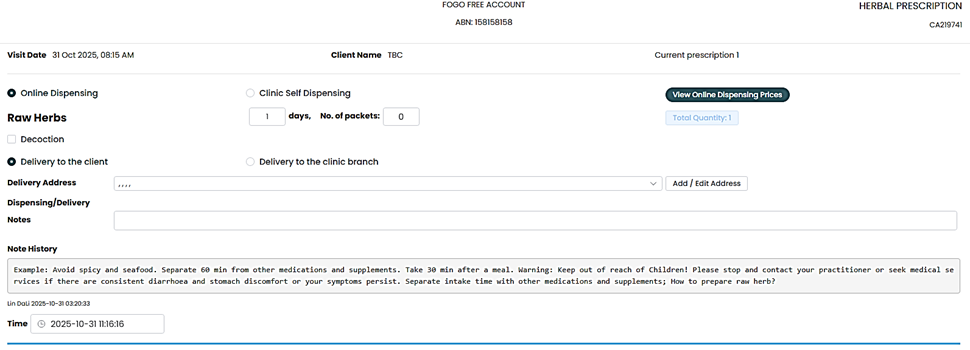
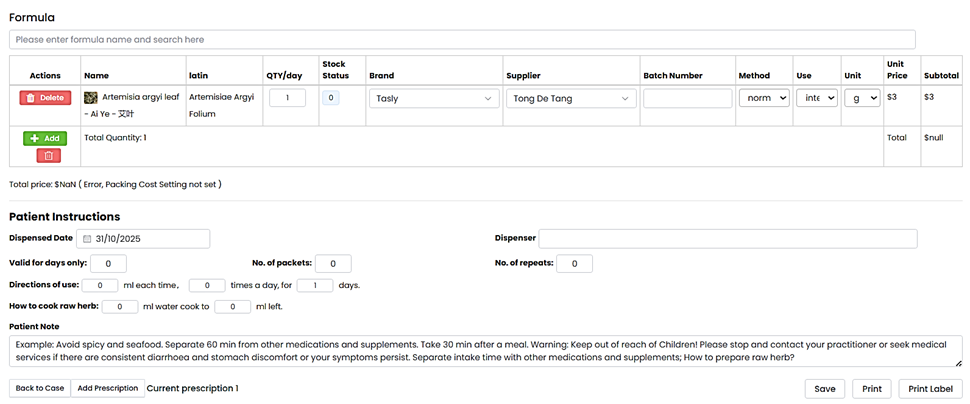
Step 2. The prescription page allows you to either dispense online or in the clinic. Input all information needed then save. You can print your prescription for customer copy or print the label of the herbs and granules prescribed.
Step 3. Since Fogo aims to make operations seamless and easy, we also have created a setting wherein you can create your own template for easier and faster dispensing.
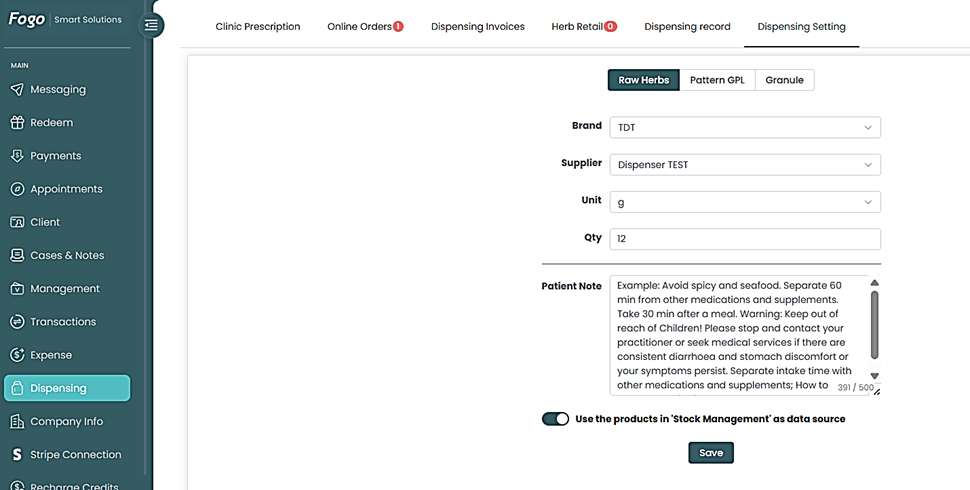
Step 4. Don’t forget to hit “Save” and toggle “Use the products in “Stock Management” as data source” to make sure you dispense first what is in stock.
Need a demo or want to learn more? Email us at contact@fogo365.com.