


Fogo allows you to create and sell service packages that clients can purchase and later redeem as payment. This not only simplifies repeat bookings but also helps build stronger client loyalty through bundled value offers.
Step 1: Navigate to the Payments module from the left menu.
Step 2: Select the client and branch where the package will be issued.
Step 3: Go to the “Package” tab beside “Member” and “Campaigns”, then click Package Sale.
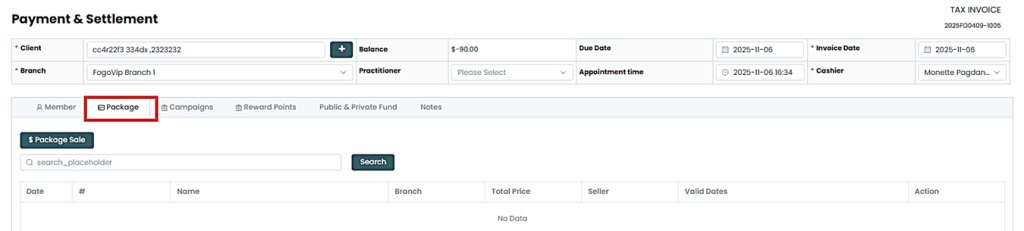
Step 4: A pop up window will show. Choose the desired package from the list. You can edit the package before proceeding.
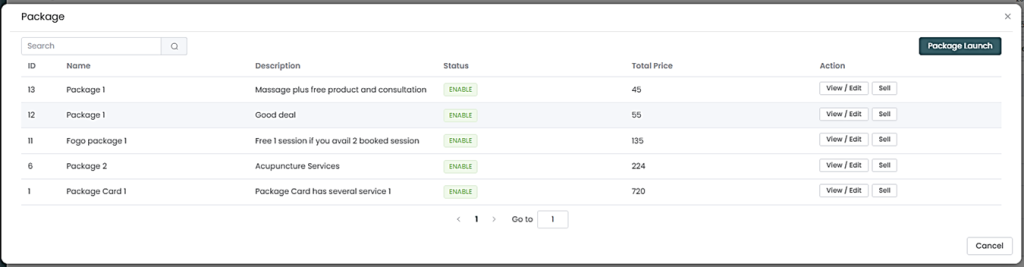
Step 5: Review the package details (name, included sessions, price, and validity).
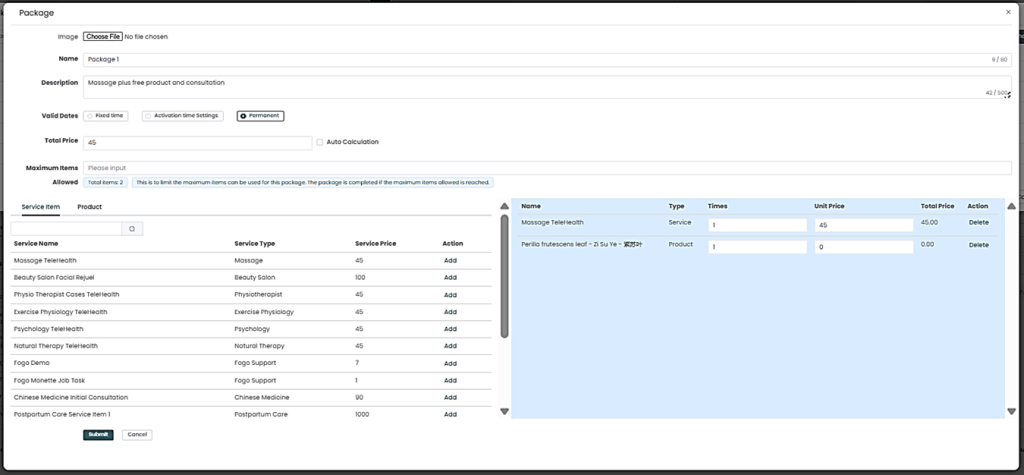
Step 6: Package will be shown here. Then click “Details”.

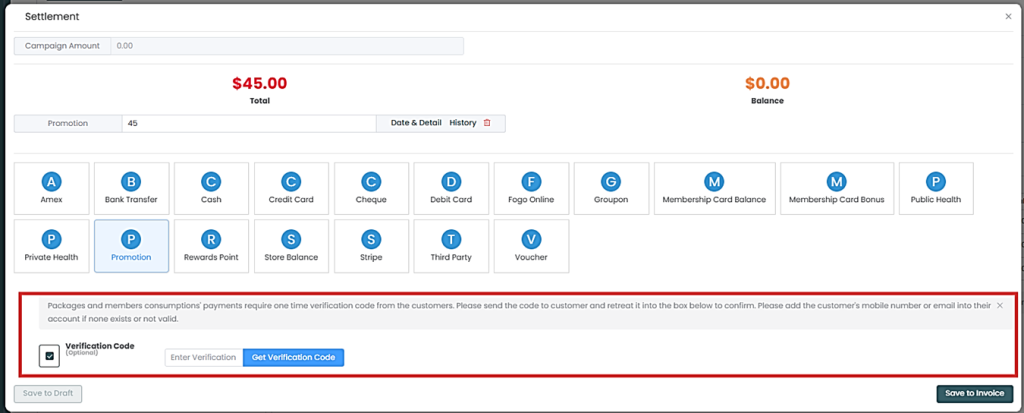
Step 7: A pop up will show, select ‘Copy to payment” then hit Settlement.
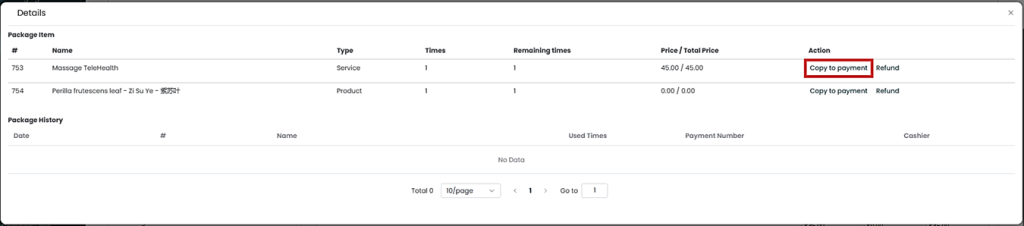
Step 8. Voucher will auto-populate on the Settlement page. Click “Save to Invoice” then print or email.
You can also watch the demo here Demo on How to Sell Packages as a mode of payment?
Need a demo or want to learn more? Email us at contact@fogo365.com.