


Fogo allows you to easily update your client’s personal details, contact information, and other important records to ensure all data remains accurate and up to date. Keeping client information current helps maintain smooth communication, accurate billing, and personalized service.
Step 1: Navigate to the Client section from the left-hand side menu.
Step 2: Use the search bar to find the client whose information you want to update.

Step 3: Under “Actions” click “View Client” to open their profile page.
Step 4: Select the “Edit” button located at the top or upper-right corner of the profile.
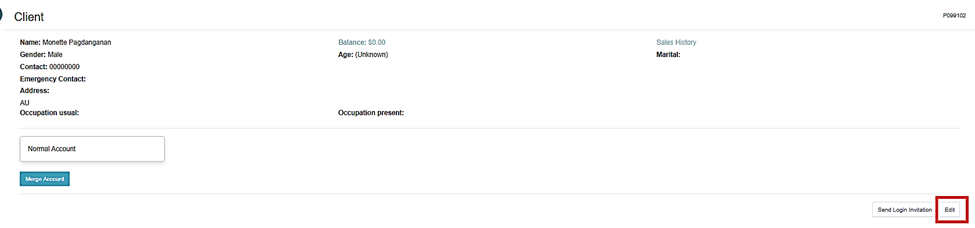
Step 5: Update the necessary fields — such as name, phone number, email address, birthday, or other client details.
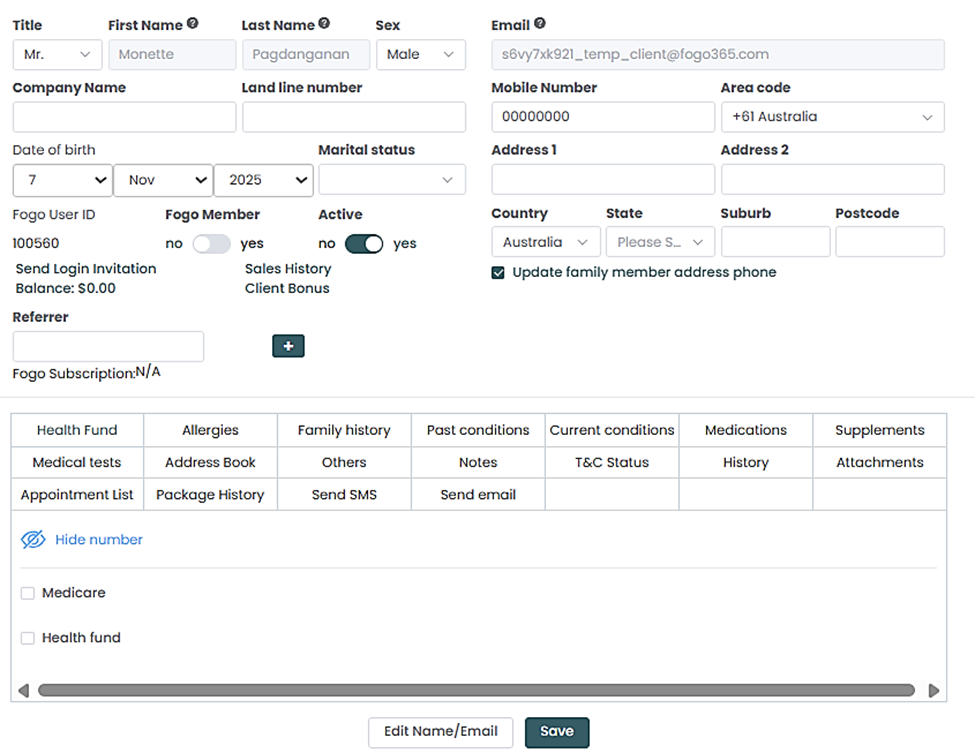
Step 6: After making changes, click “Save” to apply the edits.
Step 7: An option to Add Family Members is also available in the system if the client prefer to have their profiles in one place.
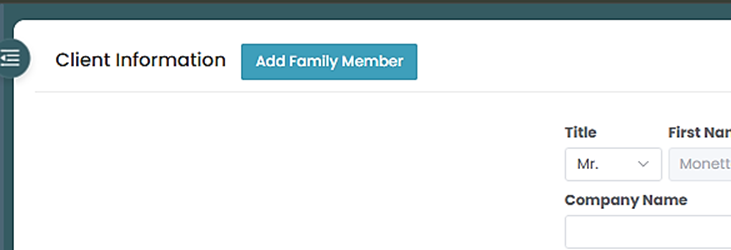
Step 8: You can either search an existing profile to merge, or create a new family member.
Step 9: Click “Save” once complete information has been entered.
Need a demo or want to learn more? Email us at contact@fogo365.com.