


You can set and manage your branch operating hours in the Fogo System to control appointment availability and ensure accurate scheduling across all locations.
Step 1. Log in to your Fogo System account.
Step 2. From the Main Menu, go to Management > Time Management > Branch open time.
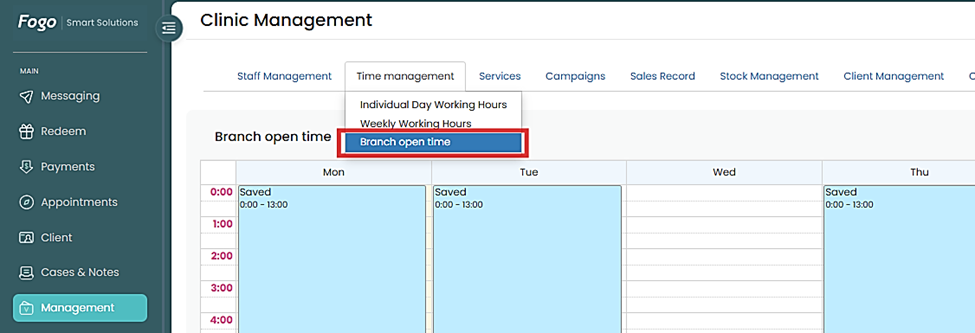
Step 3. Select the branch you want to enter branch hours.

Step 4: Drag the time slots to set up or double click to remove it. Set your opening and closing times for each day of the week. Then the calendar will show your chosen schedule.
Step 5. The updated branch hours will automatically reflect on your Appointments module, ensuring clients can only book within your set business hours. Review your branch hours regularly—especially during holidays or special events—to keep appointment availability accurate.
Need a demo or want to learn more? Email us at contact@fogo365.com.