


The Expense Category feature in the Fogo System helps organize and classify all types of company expenses. By creating categories, users can group similar expenses—such as utilities, rent, or staff costs—making it easier to track spending patterns, generate accurate reports, and maintain clear financial records.
Step1. Go to the Expense module from the left-hand menu, then click the Categories tab at the top of the page.

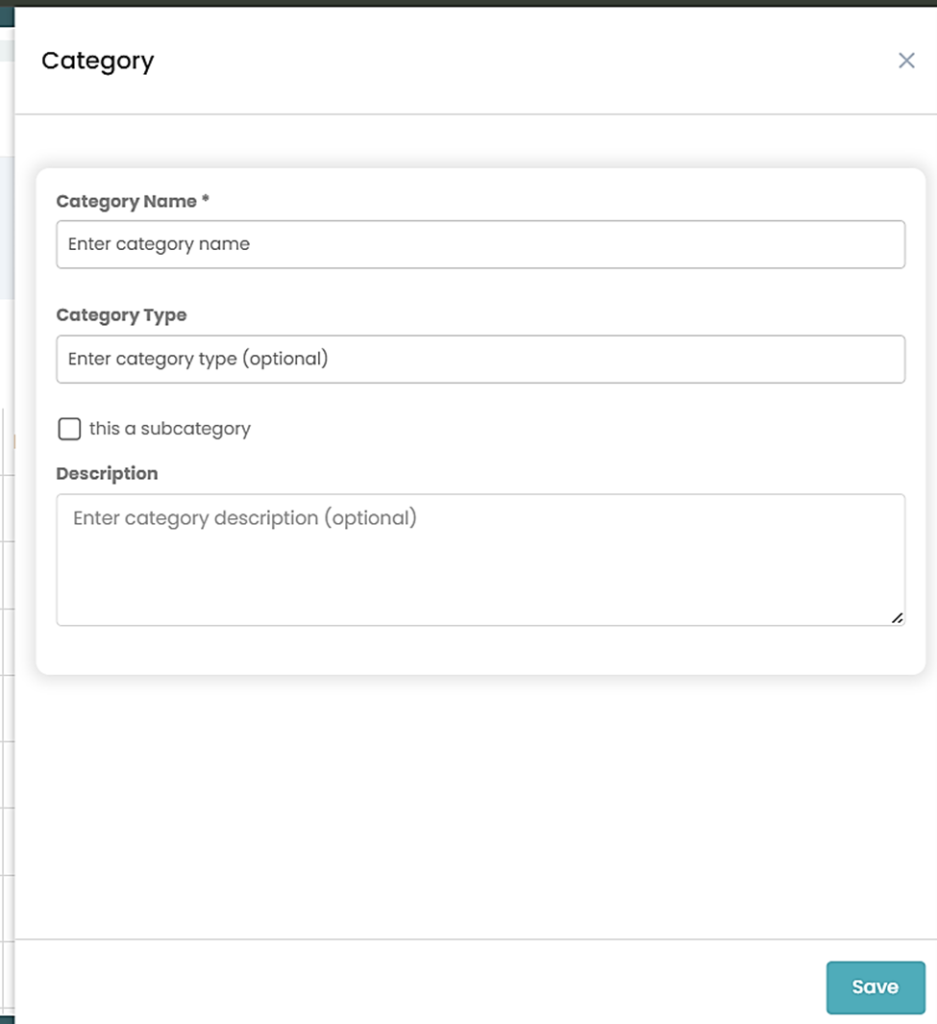
Step 2 . Click the “New Category” button at the upper left of the page. A form will appear where you can enter the Category Name, select the Category Type, and choose a Parent Category (if applicable).
- Category Type: determines how the expense is classified in your records (e.g., “Expenses,” “Other Expense,” etc.).
- Parent Category allows you to organize subcategories under a main category (for example, “Travel” as a main category and “Travel Meals” as a subcategory).
Step 3. From the Categories list, click “Edit” under the Action column if there is a need to modify or update the category.
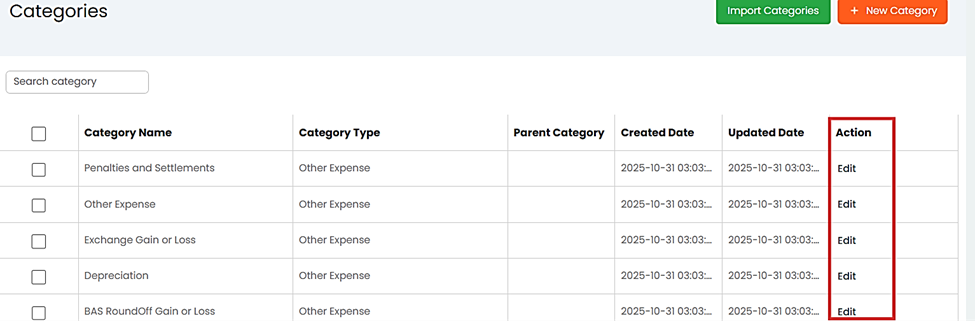
Step 4. Use the “Import Categories” button to upload a file containing multiple expense categories for faster setup.

You can also watch the demo here Demo on How to create New expense category in the Fogo System
Need a demo or want to learn more? Email us at contact@fogo365.com.