


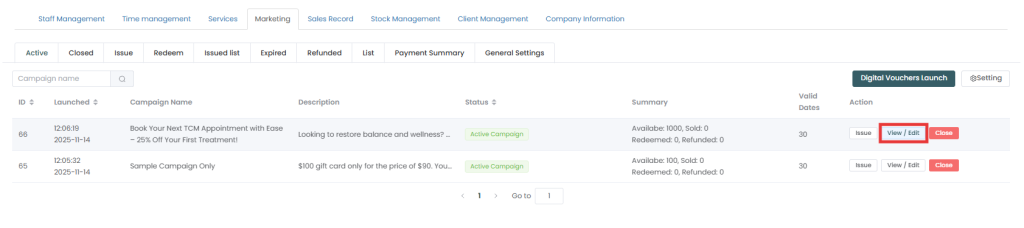
The Fogo system enables the extension of various types of digital vouchers. To get started, go to Management > Marketing > Digital Vouchers, locate your campaign under the Active tab, and select View/Edit to pause and update the form. Before proceeding, it’s useful to adjust details such as the issue period end date or the validity period. Digital vouchers can have flexible timeframes to accommodate promotional windows and ensure continuous client access.
If you need to change the Issue Period or update a campaign so it runs longer, follow these steps:
- Go to Management on the left menu, select the Marketing tab, and click Digital Vouchers.
- Under the Active tab, locate the specific voucher campaign you want to extend.
- Click the View / Edit button under the Action column next to that campaign.
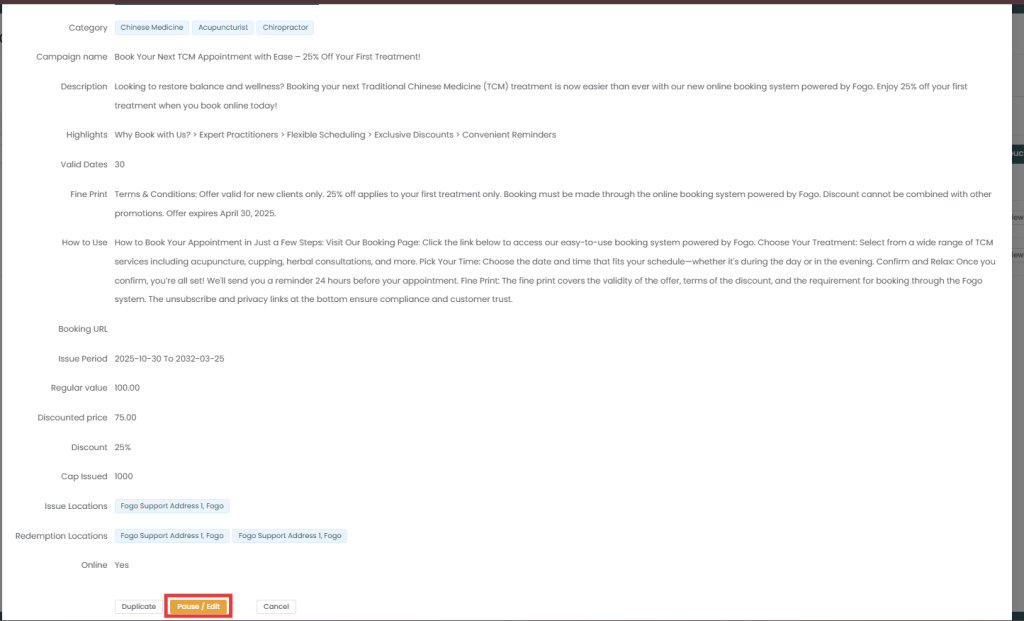
4. Scroll all the way to the bottom of the voucher details window and click the amber Pause / Edit button.
5. Scroll back up to the Issue Period field and adjust the end date to your new, extended deadline.
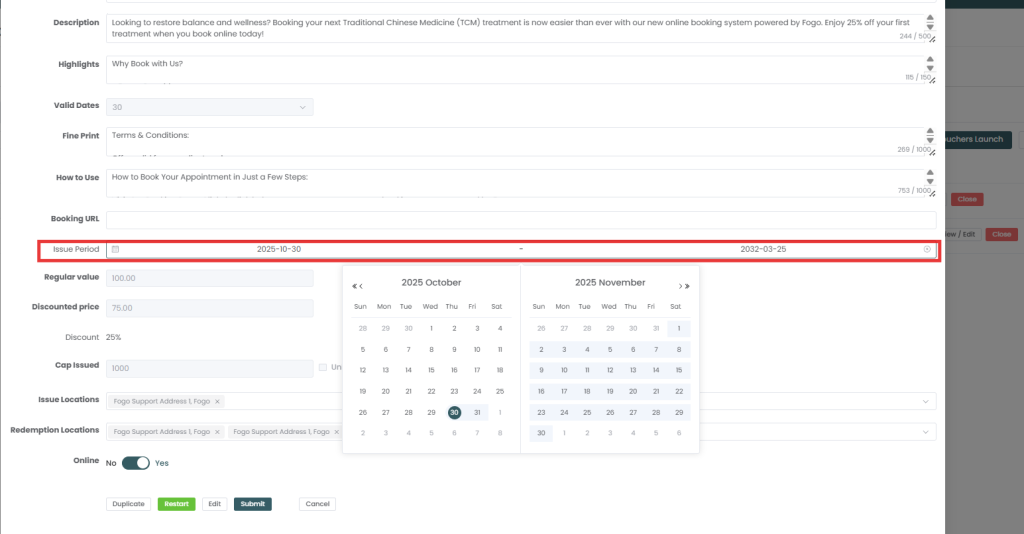
6. Save your changes to apply the extension.
How to Check or Adjust Validity Dates
- Valid Dates (Days to Redeem): When creating or editing a voucher template, you can set the Valid Dates field (e.g.,
30days). This determines how many days an individual customer has to use their voucher from the exact date it was manually issued to them. - Reviewing Expirations: You can track which individual vouchers have run out of time by clicking on the Expired tab located on your main Digital Vouchers dashboard.
Need a demo or want to learn more? Email us at contact@fogo365.com.