


Personalize your Fogo account by adding your company or practice details. This ensures your business branding and contact information are displayed on every transaction and client interaction.
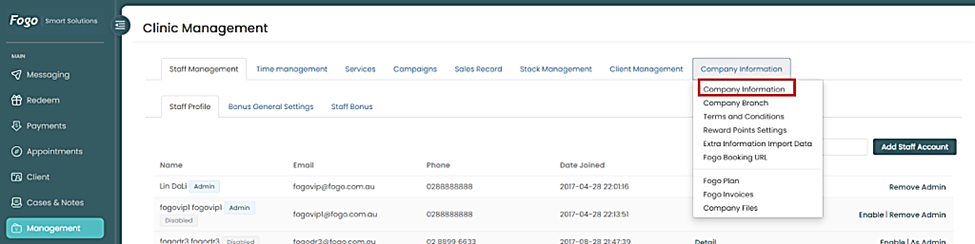
Step 1: Go to Management > Company Information > Company Information
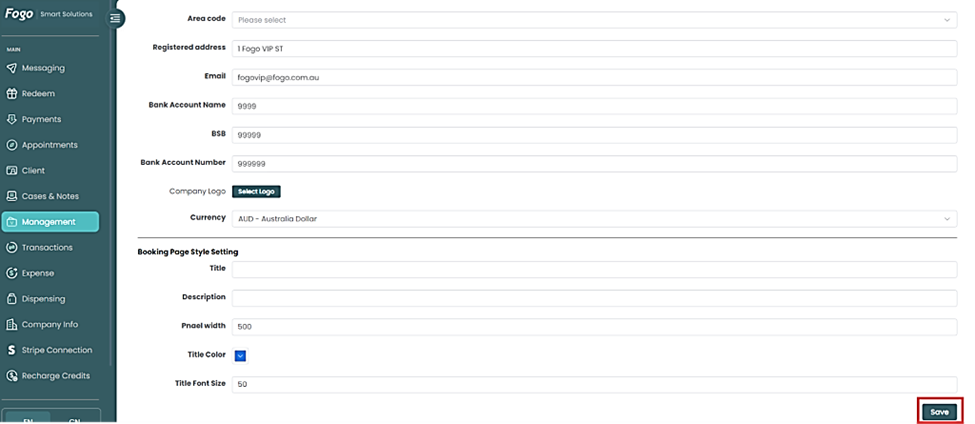
Step 2: Enter your company information then click ‘Save’.
Need a demo or want to learn more? Email us at contact@fogo365.com.