


Adding practitioner/staff into your Fogo account must be completed before your practitioner/staff are able to use the Fogo system.
Step 1: Go to management > Staff management. Click ‘Add Staff Account’

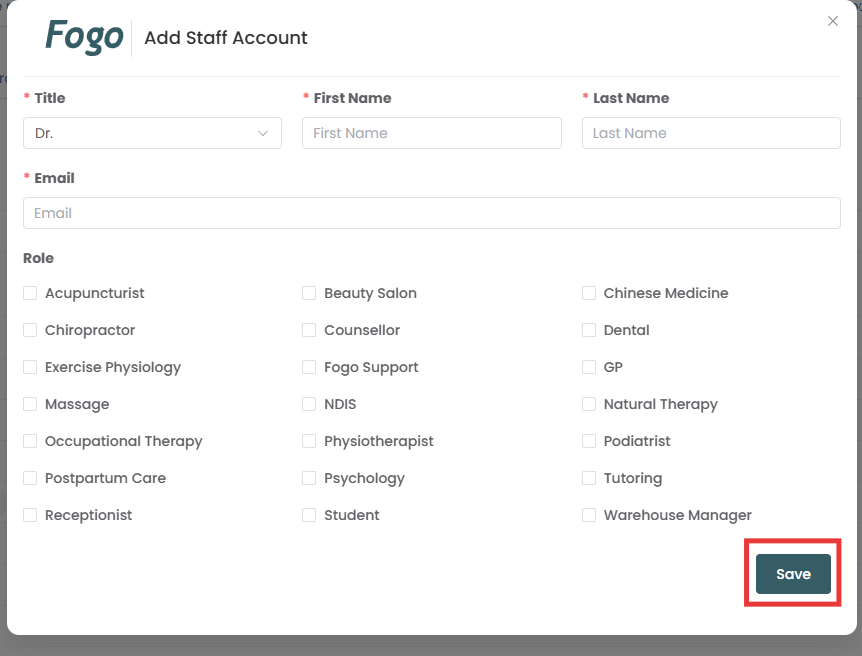
Step 2: Complete the information for your staff then save.
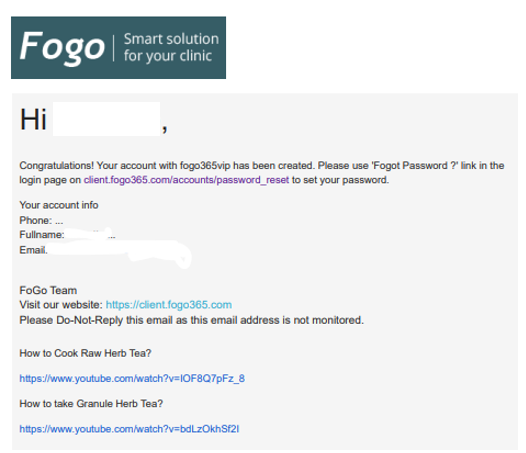
Step 3: An email will be sent to your practitioner/staff. Your practitioner/staff need to reset the password via ‘Forgot Password’ button.
Need a demo or want to learn more? Email us at contact@fogo365.com.