


Fogo allows you to automatically or manually send reminders and notifications to clients about their upcoming appointments. This helps reduce no-shows and ensures both your staff and clients are always updated about their schedules.
Step 1: Go to the Appointments tab from the left-hand menu.
Step 2: To view upcoming bookings, choose the appointment date.
Step 3: Click on the appointment to open its details window.
Step 4: Choose the preferred notification channel — SMS, Email, or both.
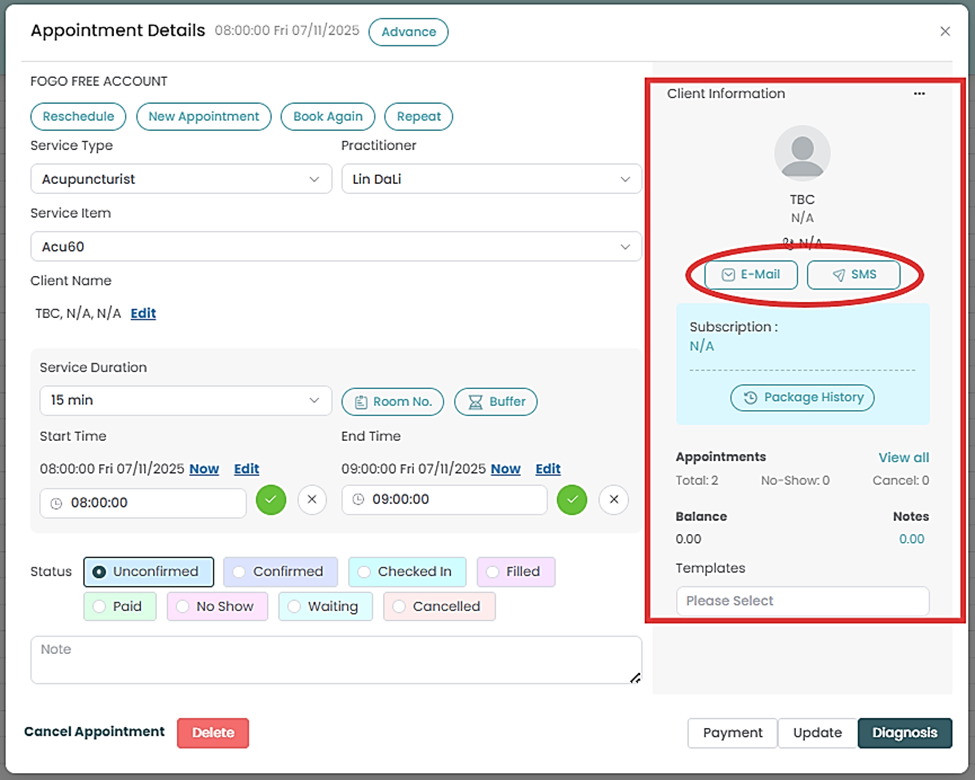
Step 5: Input recipient’s email/phone number, email or SMS subject and content. Review or edit the message.
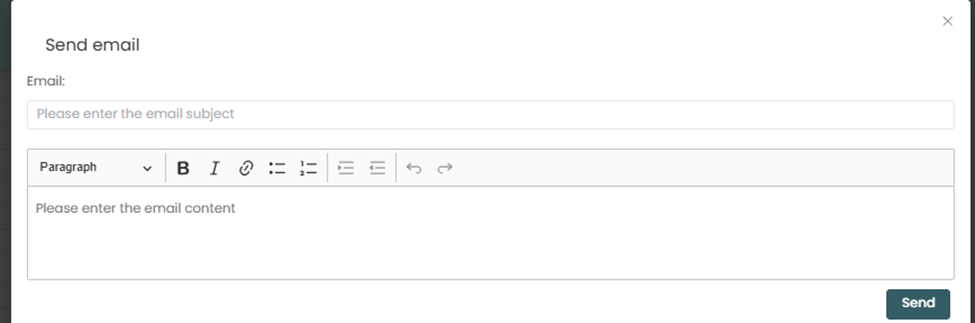
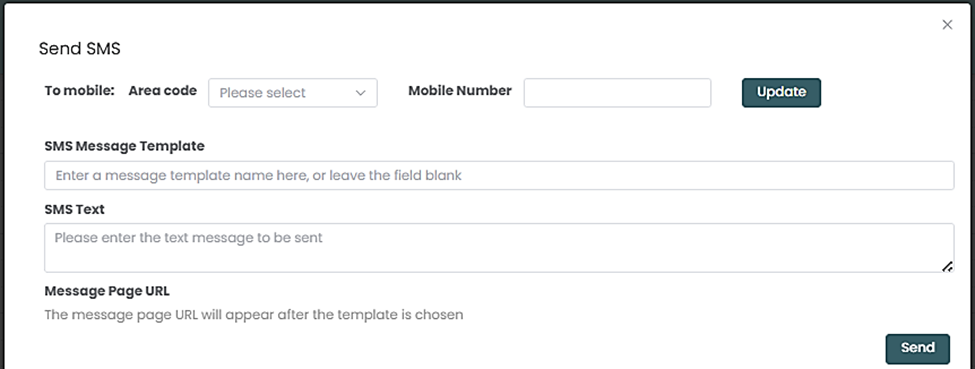
Step 7: Click Send to immediately dispatch the notification.
Step 8. You can also send notifications via Messaging tab ( Refer to How to set SMS reminders for client’s appointments?
Need a demo or want to learn more? Email us at contact@fogo365.com.