


Fogo offers automated SMS appointment reminders to both practitioners and clients the day before the appointment to make sure both are well-prepared and no appointments are missed.
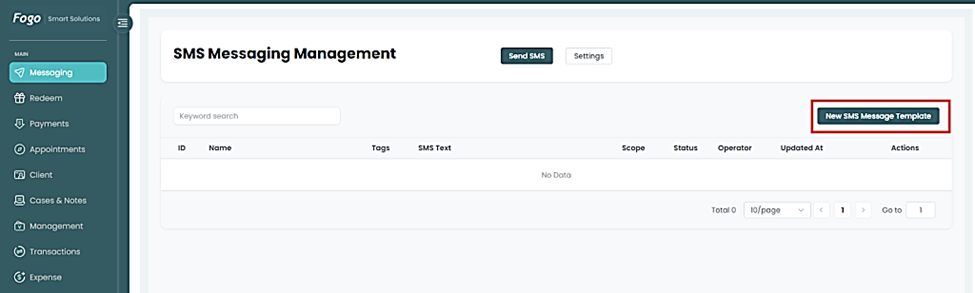
Step 1: Go to Messaging> New SMS Message Template
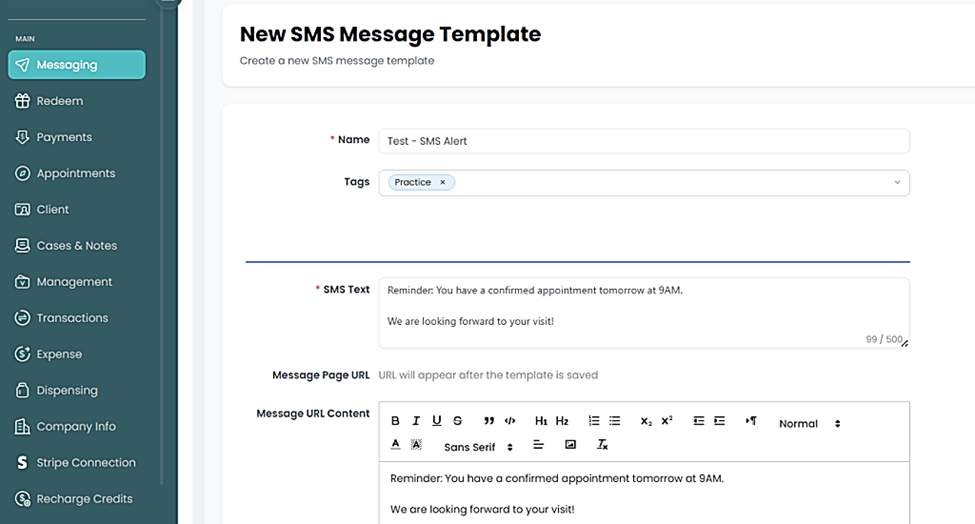
Step 2. Create your personalized SMS template. Include your message along with the appointment confirmation link (text URL), then click “Save.”
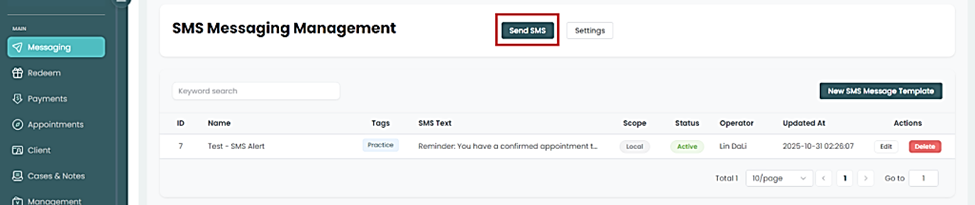
Step 3: Once saved, your template will appear and you have the option to edit when necessary. Then set your SMS alert.
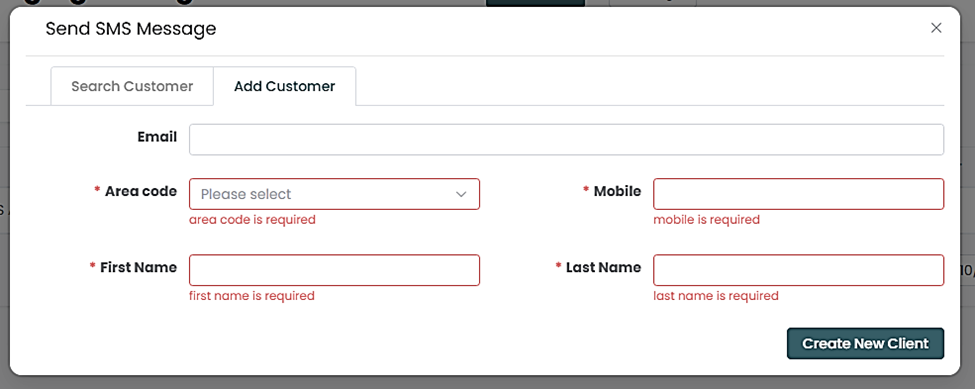
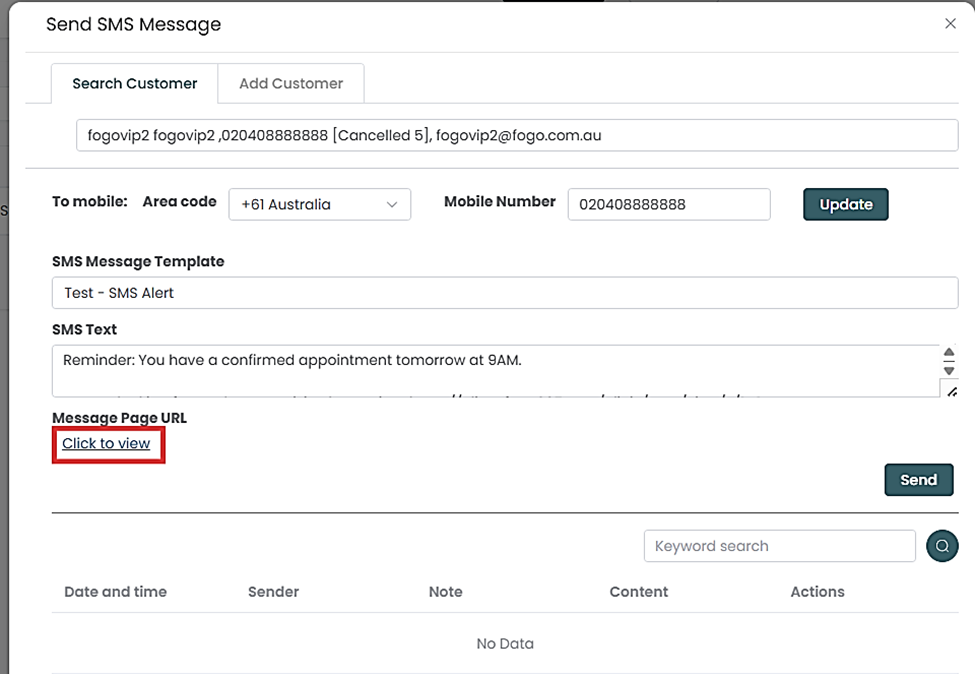
Step 4: You can either “Add Customer” or “Search Customer” from your list.

Step 5: Once Customer has been selected, type in the name of your template to populate your saved SMS Template. To view your text before sending, hit “Click to view” hyperlink. Then click “Send” once ready.
Need a demo or want to learn more? Email us at contact@fogo365.com.