


Sign up is easy and no credit card required!
Step 1: Open Fogo in your web or mobile browser
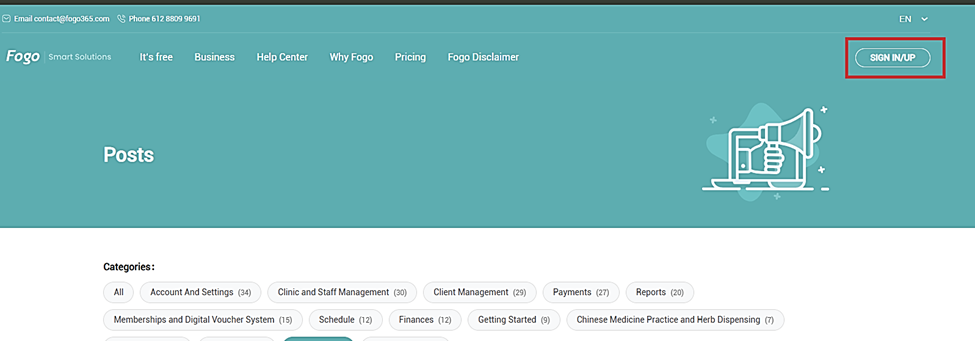
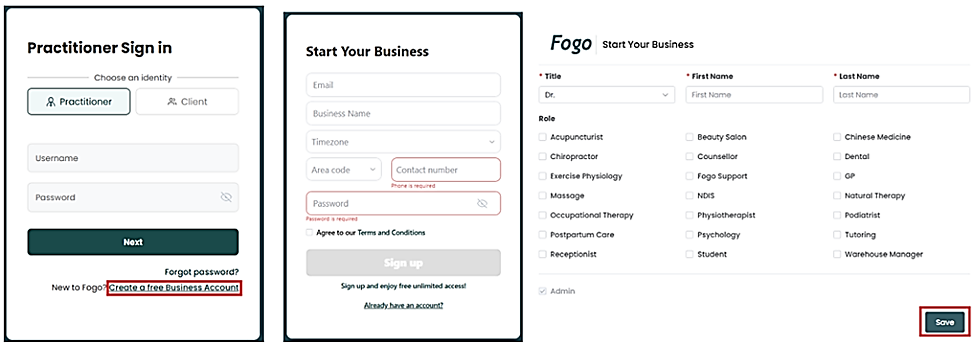
Step 2: Landing page will show you options to Log in (existing client) or Sign Up (No accounts yet). For new clients, choose Creating a free Business Account. Make sure you choose one or more roles as per your profession(s) if applied.
Click ‘Save’. You may now start utilizing the website for your healthcare scheduling needs!
Need a demo or want to learn more? Email us at contact@fogo365.com.