


The Fogo System provides an easy way to view, verify, and manage all online payment transactions made by clients, ensuring accurate financial tracking.
Step 1. Go to Management then Sales Record.
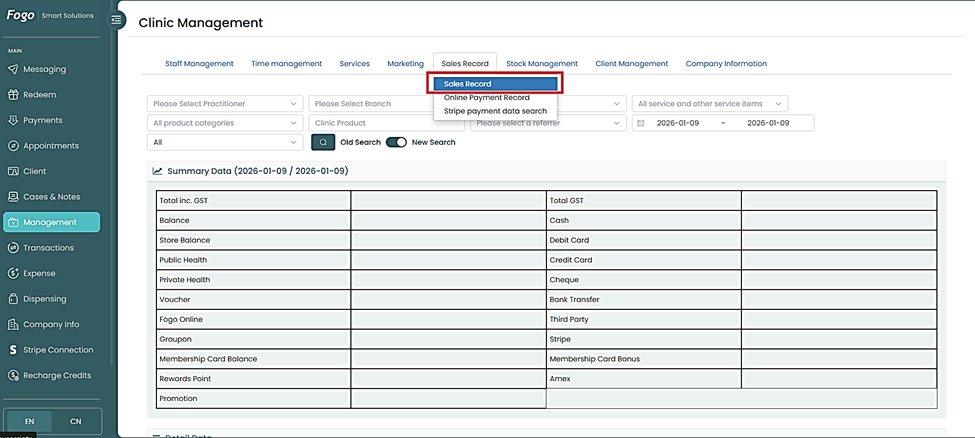
Step 2. Input all necessary details like practitioner, and date coverage.
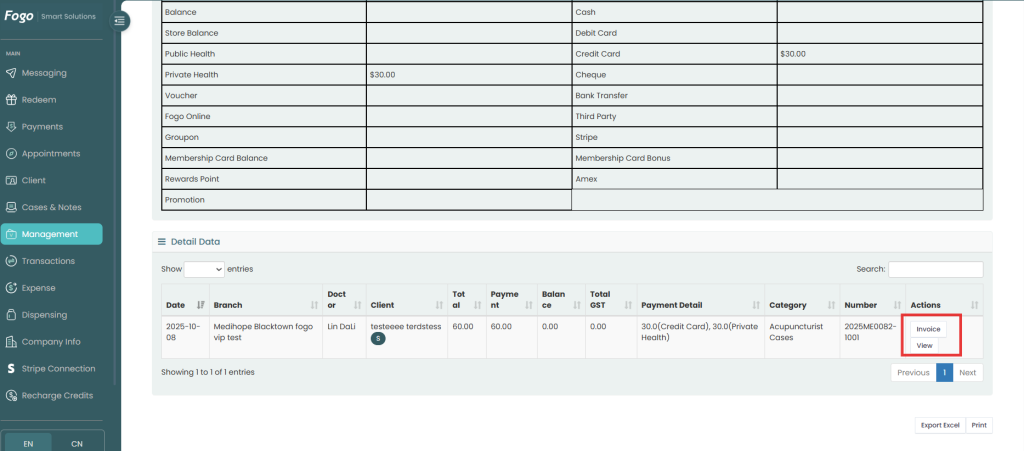
Step 3. You’ll see a list of all online payment transactions with key details such as Date and Time of payment, Clinic, Description, User, Amount Paid, and other pertinent data.
Step 4. To view a specific transaction, click “Invoice”.
Step 5. To export payment data for reporting, click Export and choose your preferred file format (CSV or Excel).
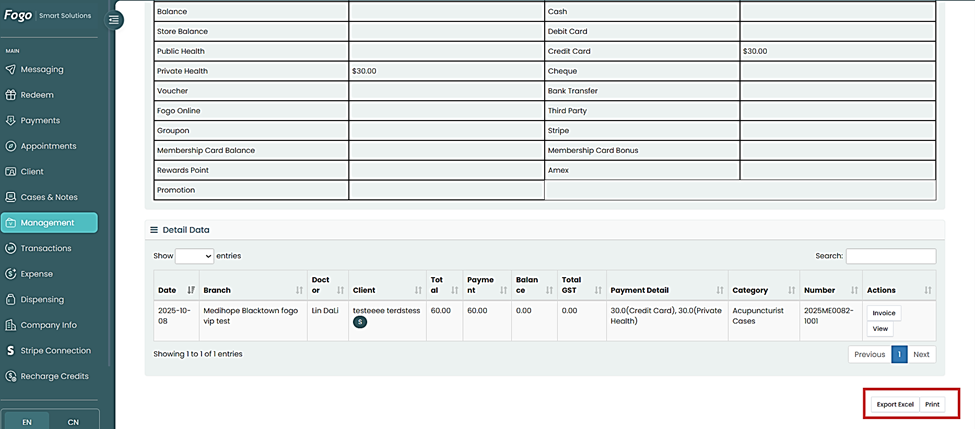
Regularly review your online payment records to ensure all client transactions are properly reconciled with your accounting or sales reports.
You can also watch the demo here Demo on How to Track Online Payment Records?
Need a demo or want to learn more? Email us at contact@fogo365.com.