


The Expense feature in the Fogo System allows users to record, view, and manage all company-related expenses in one place. It provides transparency and accuracy in monitoring business spending, ensuring that each payment or purchase is properly documented and categorized.
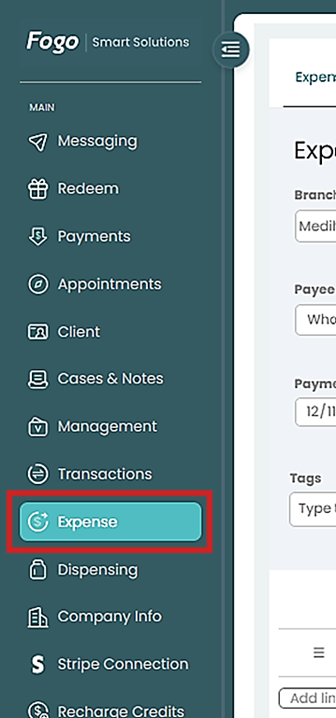
Step 1. Go to the left-hand menu and click Expense.
Step 2. Under the Expense page, you’ll find different tabs such as:
- Overview – view all recorded expenses.
- Suppliers – manage vendors or payees.
- Categories – set up expense categories for better tracking.
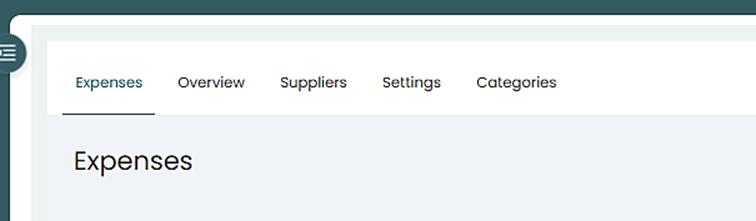
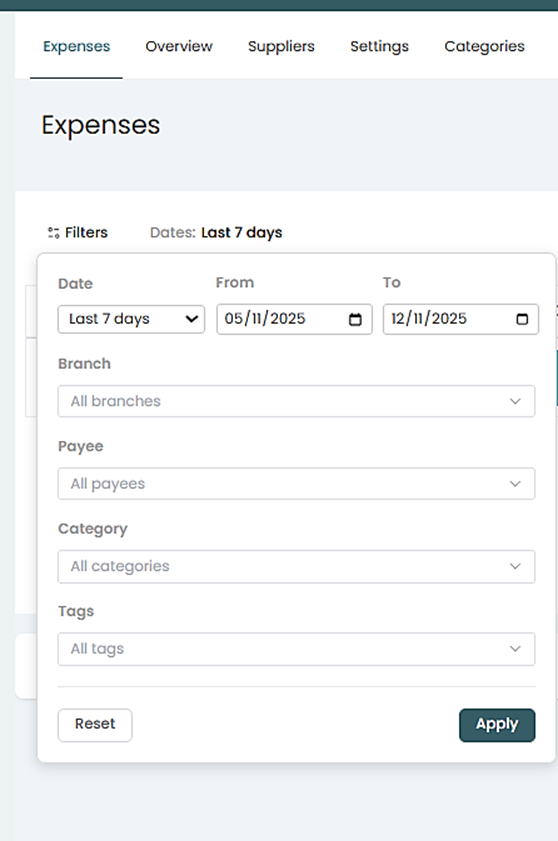
Step 3. To View overall expenses, go to “Expenses”, then filter month coverage. then “Apply”
Step 4. All expenses tracked in the system will show on this page.
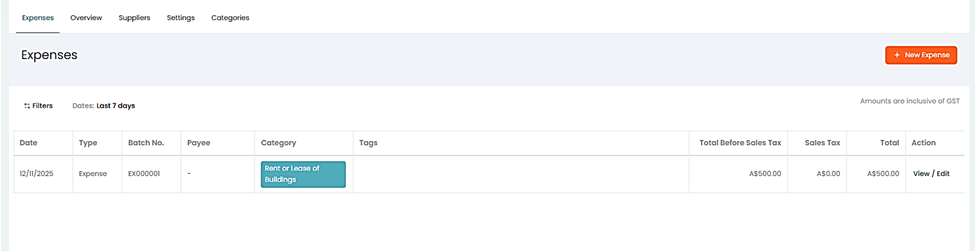
Step 5. An option to “View” or ‘Edit” an existing record is also available.
You can also watch the demo here Demo on How to View, Track and manage expenses in the Fogo System
Need a demo or want to learn more? Email us at contact@fogo365.com.